 weight:
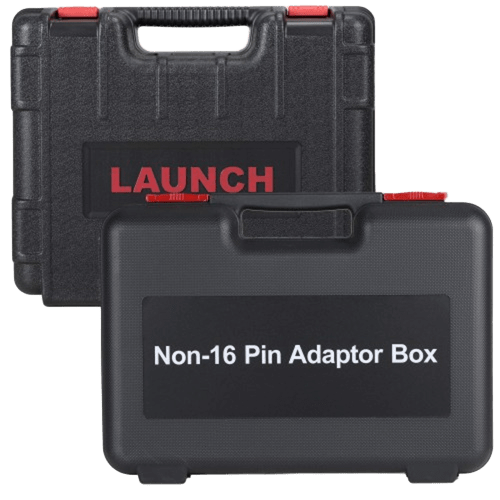
7.45kg
weight:
7.45kg
 package:
60cm*41.5cm*16.8cm
package:
60cm*41.5cm*16.8cm
1: OE All System Diagnostic
2: Enhanced ECU Coding
3: Topology Mapping
4: 2018+FCA SGW(AutoAuth)
5: 55+ Service Functions
6: Bi-Directional Control
7: AutoVIN, Smart Scan
8: Scan VIN/License
9: 200000+ Models Coverage
10: 300+ Brands Worldwide
Support Both Wifi and Bluetooth.
2 years free update online + 1 year warranty.
No Software download IP limitation: Oversea download and update available.
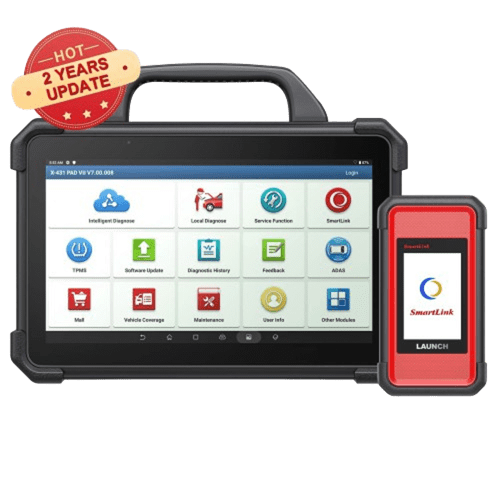
Bi-Directional Full System OBD2 Scanner, ECU Online Coding, Actuation Test, Key IMMO, 38 Reset Functions.
Model: SP184
Shipment Period: 1-7 days
Why do you buy the Launch X431 V+5.0 Gasoline Scanner from OBDII365?
Launch X431 Pro3 5.0 Scanner Highlights:

1. X431 V+ 4.0 (Item #SP184-F) vs X431 V+ 5.0 (Item #SP184)
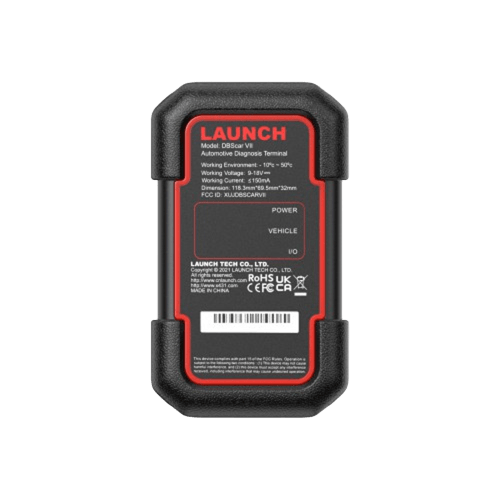
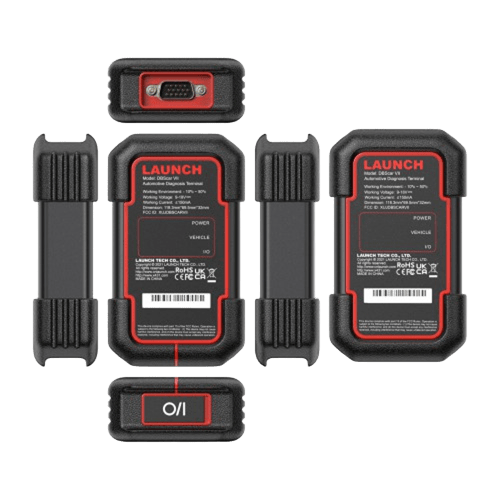
- V+ has DBScar VII which supports CAN FD and DoIP protocols. V+ V4.0 does not.
- V+ V5.0 supports X431 XPROG-3 Key Matching + IMMO license, but v4.0 does not support
- V+ V5 adds new Topology Mapping function
2. X431 V 8 inch (Item #SP183) vs X431 V+ 5.0
| Item No. | Launch X431 V 8 inch | LAUNCH X431 V+ V5 |
| Languages | Multi-Language | Multi-Language |
| Operation System | Android 10 | Android 10 |
| Screen Size | 8 inch | 10 inch |
| Bluetooth and wifi | Supported | Supported |
| Dealer Code | 86A or 86K | 86A or 86K |
| Update | 2 Year free update | 2 Year free update |
| PC Parameters | Upgraded New DBSCAR VII Bluetooth VCI 10X Faster diagnosis speed 10X Faster live data refresh rate. Android 10.0 Smooth Operate 6300mAh Battery 4+64GB Memory. |
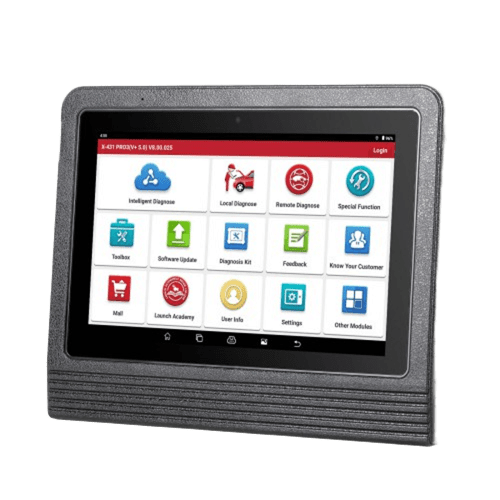
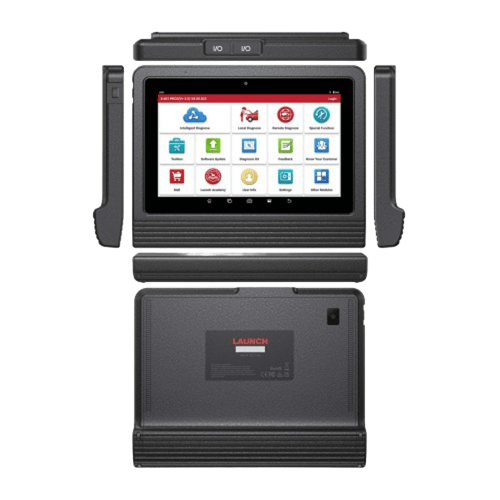
Operating System: Android 10.0 CPU: Qualcomm Snapdragon 450, 8-core 2.4GHz/5GHz Battery: 6300mAh rechargeable polymer lithium battery Memory: 4GB Storage Capacity:64G LCD: 10.1 inch Resolution: 1280*800 Touch Screen: Capacitive Touch Screen Cameras: 5.0 megapixels front and 8.0 mega pixels rear. Wi-Fi: 802.11a/b/g/n/ac (2.4GHz / 5GHz) Bluetooth: Supported |
| VCI | DBScar VII | DBScar VII |
| LAUNCH X431 EV Diagnostic Upgrade Kit | NO | YES |
Notice:
1. Dealer Code: 86A or 86K.
2. Launch X431 V+ 5.0 Supports 12V/ 24V Gasoline (Petrol) Cars, 12V for Some Diesel Cars, Not for Trucks, for truck you need an extra X431 Smartlink C2.0 Truck Module.
3. Authorization: When you receive the device, contact our customer service and advise the Serial number of your device, also the language and country you want to open authorization. After authorization is finished, you can log on to the Launch DBSCar Website to register CC account and download software you want. Check: How to register LAUNCH X431 Pro3/V+ 5.0?
Launch X431 Pro3 V5.0 Add-on Modules
1. VSP-600 Videoscope (For inspection of hidden and narrow parts of the engine, fuel tank, brake system, etc.)
2. TPMS i-TPMS (You can use it not only to activate the sensor ID, tire pressure, sensor frequency, tire temperature and battery status; you can also program sensor data to a blank LAUNCH branded sensor in three ways: automatically, manually and by activating a copy; at the same time, you can write the newly programmed sensor ID to the vehicle ECU.)
3. X431 X-PROG 3 (IMMO For V.A.G Group Above 3.5, advanced immobilizer and key programmer). Vehicles that require a clone key are not compatible with this accessory.
4. Heavy Duty Module -LAUNCH HDIII or SmartLink C 2.0 add-on module is an essential truck module which can turn your X431 scan tools into full function heavy duty truck diagnostic tools, working on both heavy-duty(Class 4 through 8) and medium-duty trucks(Such as heavy trucks, city buses, bulldozers, excavators, etc.)
5. ADAS Mobile/ADAS PRO -Compatible with LAUNCH X431 ADAS Mobile to calibrate advanced driver-assistance systems, such as ACC, AEB, and more. ADAS Calibrate a wide range of camera-based & radar-based driver assistance systems, Operate ADAS calibration to vehicle cameras, LKA system, ACC system, LDW system, and AVM system. ADAS is designed to improve driver, passenger and pedestrian safety by reducing both the severity and overall number of motor vehicle accidents. ADAS can warn drivers of potential dangers, intervene to help the driver remain in control in order to prevent an accident, and if necessary, reduce the severity of an accident if it can’t be avoided.
6. WiFi Printer (Print out diagnostic data/ reports.)
7. BST360 battery tester (For Battery Cranking system Test, Battery Charging system Test, Battery Health Test)
8. EV diagnostic kit: perform battery pack analysis
9. IMMO Software Package: advanced immo key programming with x-prog3
10. O2-2 Oscilloscope (4 Channels) Analizador Digital Scopebox Tester
11. S2-2 Sensorbox: 2 Channels Handheld Sensor Simulator and Tester
12. Launch motorcycle connector kit: diagnose motorcycles
13. Launch X431 key programmer: generate Launch remote/chip

Launch X431 V Plus 5.0 Diagnostic Tool Functions:
[All Systems Diagnosis]

[ECU Coding]
The coding function is used to re-flash the vehicle control modules. It allows you to reprogram adaptive data for certain components after making repairs or replacements, providing ways for the issues of Drivability, Fuel Efficiency, Power Loss, Fault Codes, Durability of Mechanical Parts.
Guided Functions: Compatible with Volkswagen / Audi / Skoda / Seat, etc.
Component Matching: Compatible with Volkswagen / Skoda / Seat / BMW / GM / Ford / Opel / Mazda / Fiat / Honda / Nissan / Hyundai / Kia / Subaru, etc.
Online Coding: Compatible with Volkswagen / Audi / Benz / BMW / Seat / Porsche, etc.
Online Account Login Service: Compatible with Volkswagen / Audi / Skoda / Seat, etc.
Online Calibration: Compatible with Volkswagen / Audi / Skoda / Seat, etc.
Power Balance: Compatible with Chrysler / GM / Ford, etc.
Programmable Module Installation: Compatible with Ford / Mazda, etc.
Flash Hidden Functions: Compatible with BMW / Porsche / Toyota / Subaru, etc.
Actuator Test: Injector Test; Turn Off ACC Lane Keeping Assist

[55+ Special Service Reset Functions]
LAUNCH X431 PRO3 V+ 5.0 provides you with the following commonly used service functions, enabling you to quickly access the vehicle system for various regular service and maintenance performance.
Keep Growing with UPDATES !! (depending on the specific car models, not for all cars.) and more and more functions will be improved and optimized.
LAUNCH scan tool X431 PRO3 V+ 5.0 developed 200+ functions for specific models. Compared with other diagnostic scanners that can only do the Reset functions, the bi-directional scanner can finish deeper and wider Reset, Regeneration, Initiation, Matching, Calibration, Re-Placement, etc.

Accompany with continuous update of Launch X431 software and program, More functions has been added: Head light Fitting, Seat Matching, Door and Window Initialization Study, Sunroof Initialization, Air Suspension Matching, Gearbox Matching, Injector Calibration, Multimedia Video Reset, Cluster Reset, Immobilizer Service, Tire Change Reset, (depending on the specific car models, not for all cars, ). and more and more function will be improved and optimized ....
[More Advantages of LAUNCH X431 V Plus]
New CAN FD & DoIP Protocol Supporting
LAUNCH scanners are always connected with the needs of their customers.2025 Upgraded version of LAUNCH X431 V Pro 5.0 car scanner introduces new protocols CAN FD & DoIP to the vehicle diagnostic process for enhancing vehicle diagnostic speed and vehicle communication rate.
CAN FD (NO NEED Adapter): Standard in LAUNCH X431 V Pro 5.0 increases bit rate of up to 4 Mbit/s during payload transmission and processes greater quantities of diagnostic data, and saves both time and costs.
Compatible with GM/Chrysler Vehicles from 2020-2025, including Onix/Tracker/Cavalier/Encore/Suburban/Escalade/Escalade ESV /Electra E5/Tahoe/Yukon/Grand Cherokee/Grand Wagoneer/Montana/Silverado/Sierra...
DoIP (NEED Adapter): allows your LAUNCH pro v5.0 scanner to run a 100Mbit/s ultra-faster data transfer rates at a low hardware cost and achieve remote vehicle diagnostics capabilities in all ECUs connected to it. Compatible with BMW (F&G chassis), Volvo models (2018 later), Land Rover & Jaguar models (2017 later).
FCA Secure Gateway
LAUNCH X431 V Pro 5.0 automotive diagnostic scanner provides a trustworthy authority for technicians, car dealers, automotive engineers, and service shops to diagnose the SGW and perform all the necessary repair procedures.
12-In-1 Live Data Stream Graphing & Export Data as CSV/PDF File: Provides very detailed data stream data, it could include the change of Accelerator Pedal Position Sensor, Actual Output Shaft Speed, Clutch A Actuator Motor, Vehicle Battery, and so on. Graphical data allows you to analyze the data changes of each module more clearly and easily, and it is easier to see the problems in it. CSV/PDF files allow you to save the data, making it easy to record and track the vehicle performance.
ADAS Calibration:
LAUNCH X431 PRO3 V+ 5.0 escaner para autos is compatible with LAUNCH X431 ADAS Mobile (need to be purchased separately) to calibrate advanced driver-assistance systems, such as ACC, AEB, and more. ADAS calibrates a wide range of camera-based & radar-based driver assistance systems. Operate ADAS calibration to vehicle cameras, LKA system, ACC system, LDW system, and AVM system. ADAS is designed to improve driver, passenger and pedestrian safety by reducing both the severity and overall number of motor vehicle accidents. ADAS can warn drivers of potential dangers, intervene to help the driver remain in control in order to prevent an accident and, if necessary, reduce the severity of an accident if it can’t be avoided.
Diagnostic Report Upload & Printing --- This diagnostic tool can automatically generate a diagnostic report when diagnostic work is successfully finished. The generated diagnostic report will be saved and sent to the email address. You are allowed to print the diagnostic report out to ask for assistance or recording history of fault information. With Wi-Fi Connection, you can even upload the diagnostic report and find solutions with people who are familiar with vehicle repair, or who are encountering the same issue.
Auto VIN Tech --- Instead of entering the vehicle VIN number manually, this professional diagnostic scanner comes with efficient Auto VIN Technology for retrieving vehicle information in just one touch, so users are capable of quickly testing all the ECUs on their vehicles and running a diagnosis on the selected systems.
Remote Diagnosis --- LAUNCH X431 V+ Scan tool provides practical remote diagnosis, users can ask for the remote control through phones, tablets, and computers, etc. It has been realized the reality that a mechanic can diagnose an abnormal vehicle that is even thousands of miles away.
Health Report Generate and Share --- With Launch X431 V+, you can generate a full system Diagnostic Report with one click. The reports can be emailed to the office or directly to your customer. You can also print out the vehicle health report card.
Online Repair Resources --- Provide more than 1600 vehicle models' service & repair information, handbook, repair case and operation skills.
View History --- Once a vehicle diagnosis is performed, LAUNCH X431 V+ will record every detail of the diagnostic process. The History function provides quick access to the tested vehicles and users can resume from the last operation without the necessity of starting from scratch.
Maintenance Help --- Including How-to Videos, operation skills, and user manual, Quick start guide, etc.

[Topology Mapping]
X431 V+ V5 software version V7.00.012 onwards adds the topology mapping function.
Check the DTCs and all systems communication status visually by the topology module mapping function.
The Launch X431 PRO3 V+ 5.0 stands out from many high-end scanners with its advanced topology mapping function. This technology can quickly scan and analyze all vehicle systems within seconds, clearly displaying the relationship between modules and highlighting both healthy and faulty components. By pinpointing issues instantly, technicians can locate problems faster, greatly improving diagnostic efficiency and saving valuable time.
Unlike many traditional scanners that require checking each system individually, the X431 PRO3 V+ 5.0 provides a comprehensive visual overview of the vehicle’s network, allowing for faster and more accurate fault detection. This intelligent diagnostic capability makes it an excellent investment for repair shops, engineers, and DIY users who want reliable and efficient vehicle diagnostics.
With topology mapping, troubleshooting becomes easier and more precise—helping users quickly identify electrical system issues while reducing unnecessary diagnostic time and repair costs.
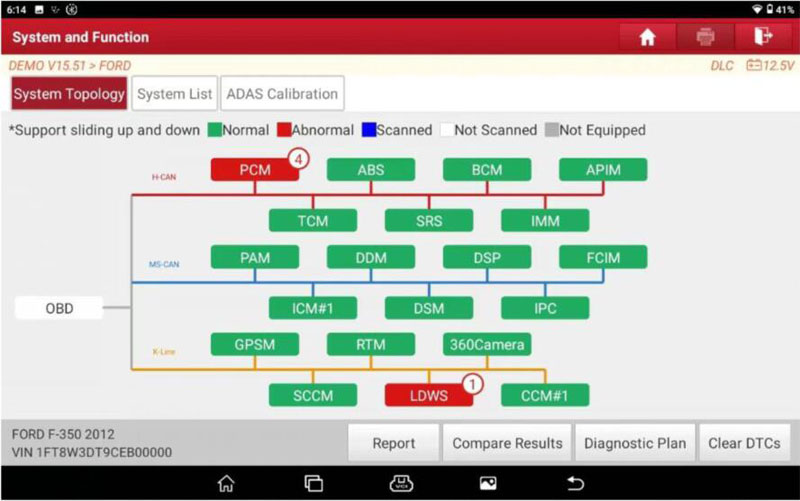
[Printer Diagnostic Result]
You can share car diagnostic data via email, then print it via PC, or optional wifi, and you can order the Launch x431 mini wifi printer, then one-key printer.
[Two Years Free Update Online]
It is easy to do update by One-Click on the tablet via wifi connection.
All supported car brands softwares are included; you don't need to buy software separately.
After 2 years, you can still use it without updating. It will not be locked. If you want to buy update service after 2 years, you can click the X431 V app or contact us to pay for it.
[Extensive Vehicle Coverage] 200 Car Brands and 20000+ Cars supported
200000+ Vehicles Supported, 200+ Car Makers Supported ! (Almost all cars in the world) (Update car software to 2021/ 2022/ 2023/ 2024/ 2025, including cars, SUVs, minivans, 12v light-duty trucks.):

LAUNCH X431 V+ Service for:
Technician, advanced DIY, garage, car dealer, used car dealer, auto repair shop, automotive engineer, diagnostic tech, truck man, automobile tech, home mechanic, DIY beginner, automotive student, backyard mechanic, retired mechanic, weekend DIY, individual.
Launch X-431 V Plus V5 Specification:
Tablet Parameters
CPU: 4-core 2.0 GHz
RAM: 4G
ROM: 64G
Battery Capacity: 6300mAh(200.85g) 7.6V
Android version: Android 10.0
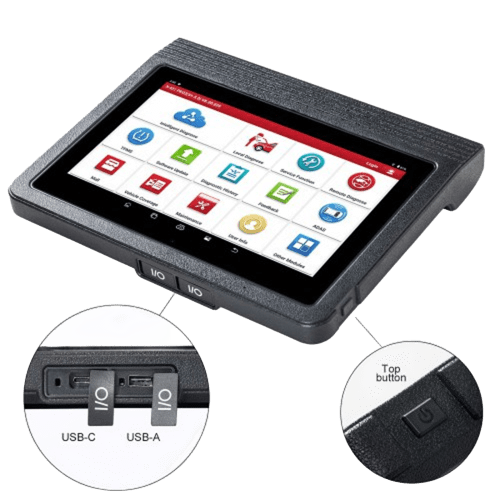
Screen size: 10.1 inch
Screen resolution: 1280*800
Wifi: 2.4 & 5 GHz
Camera: Rear 8.0MP/ Front 5.0MP
Communication: VCI/ Bluetooth(DBSCar VII)
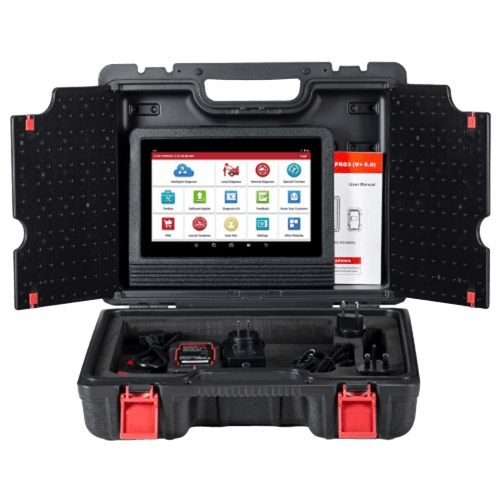
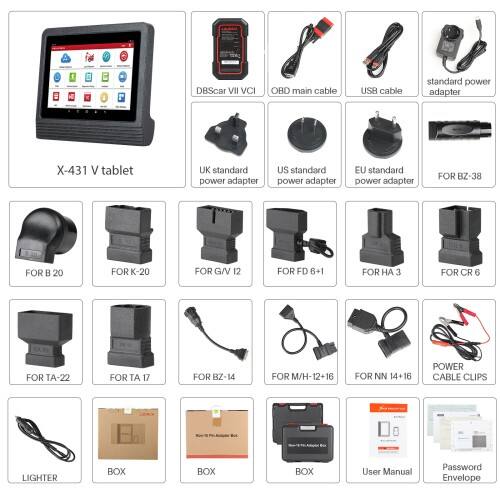
Packing List:
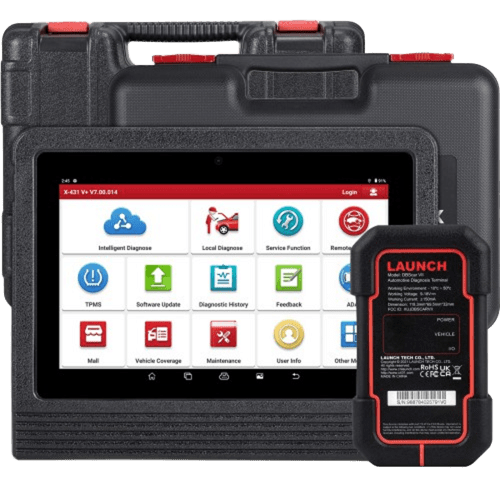
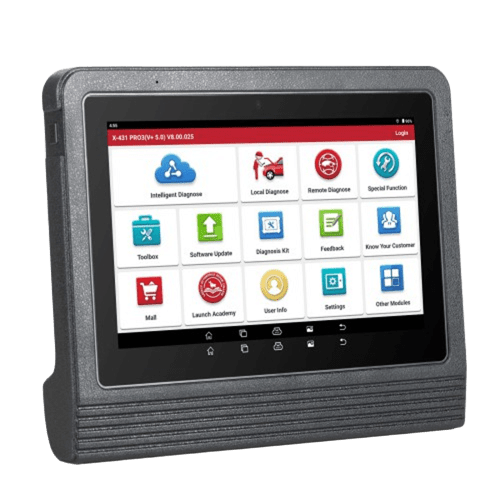
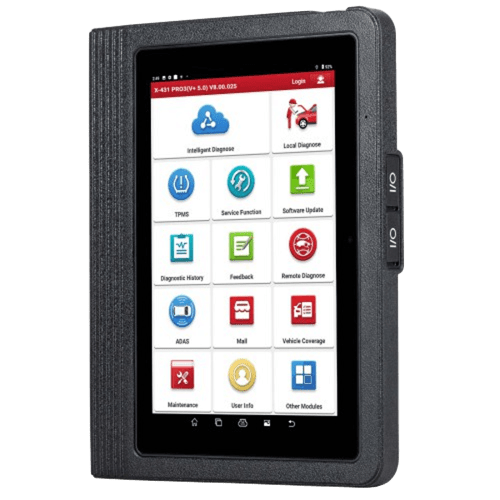
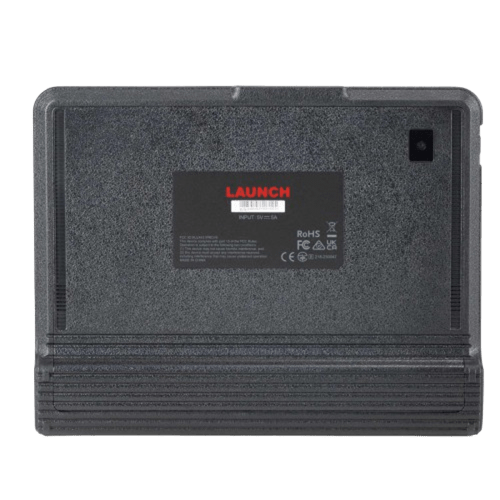
1pc x X-431 V+ tablet
1pc x DBSCar VII diagnostic connector
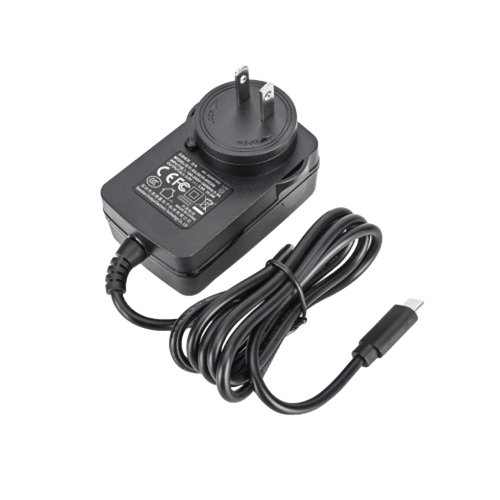
1pc x Power adapter
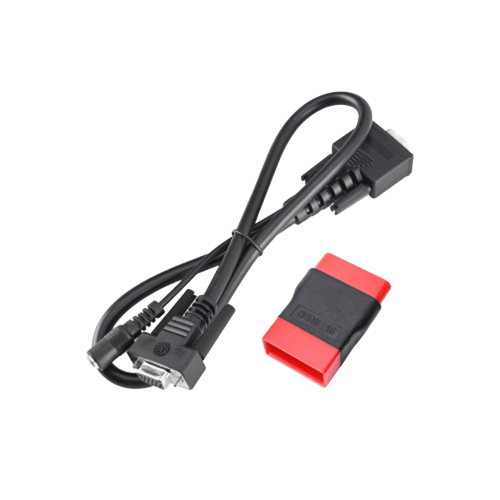
1pc x OBD main cable
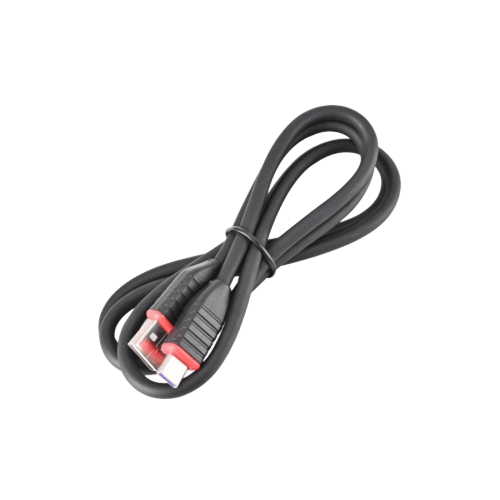
1pc x USB cable
1pc x BENZ-38 connector
1pc x BENZ-14 connector
1pc x NISSAN-14+16 connector
1pc x BMW-20 connector
1pc x CHRYSLER-6 connector
1pc x FORD-6+1 connector
1pc x GM/VAZ-12 connector
1pc x HONDA-3 connector
1pc x KIA-20 connector
1pc x MITSUBISHI/HYUNDAI-12+16 connector
1pc x TOYOTA-17 connector
1pc x TOYOTA-22 connector
1pc x Double clamp power line connector
1pc x The cigarette lighter connector
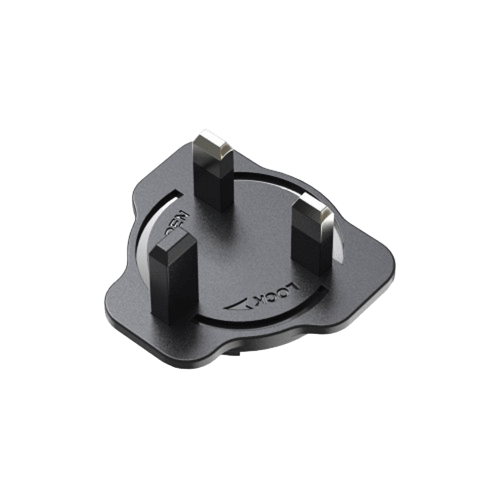
1pc x UK standard conversion head
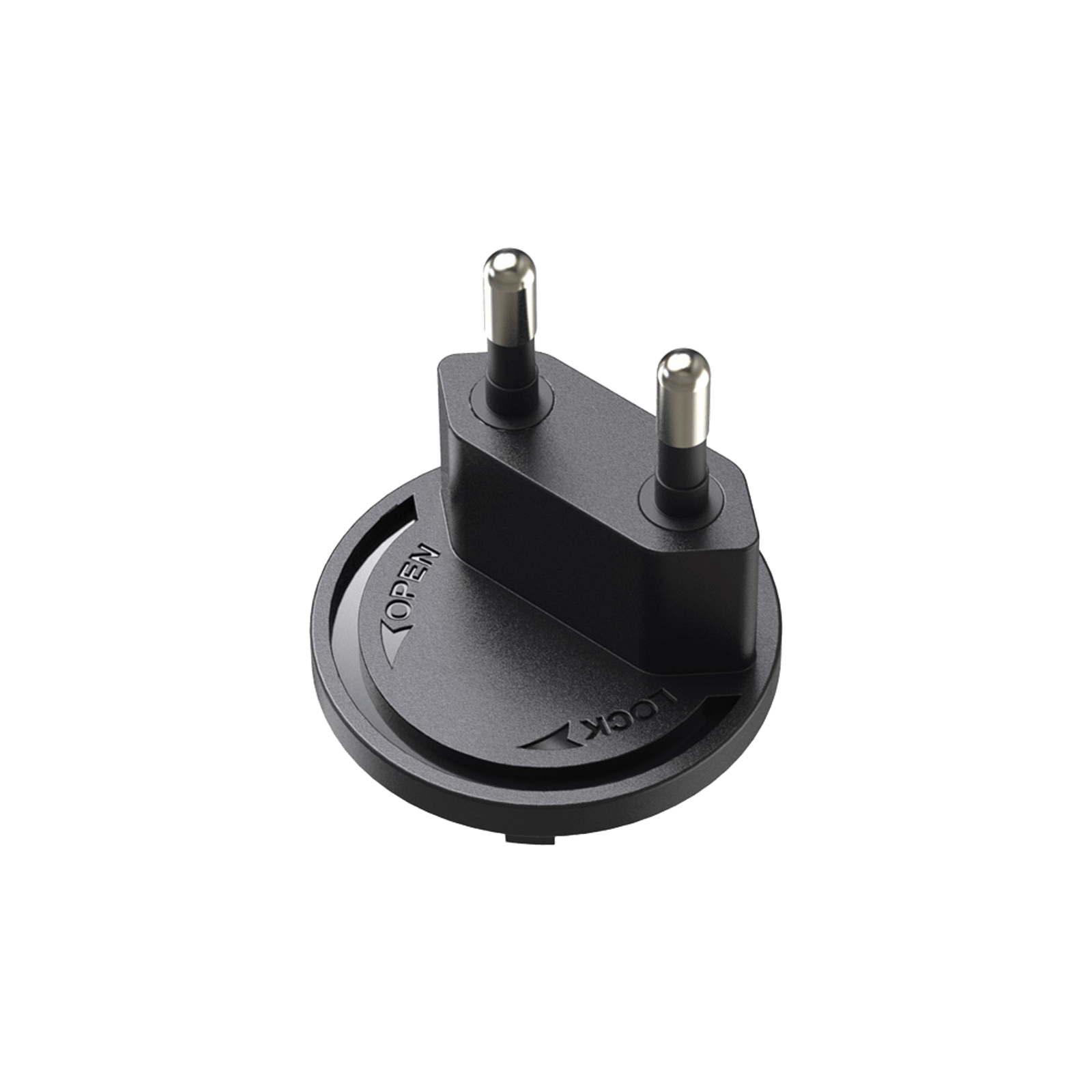
1pc x EU standard conversion head
1pc x US standard conversion head
1pc x Password envelope
1pc x Manual
1pc x Quick start

They both have DBscar VII connector. Both works with heavy duty module. They work the same function.
Launch can help to block it if you can provide proof that you are the owner of the certain S/N device. You can send the proof and request to [email protected].
This is compatible with big trucks if the optional hardware HDIII and software are purchased. This is set up for passenger vehicles.
How to Register Launch X431 V+?
Step 1. Choose “Login”.
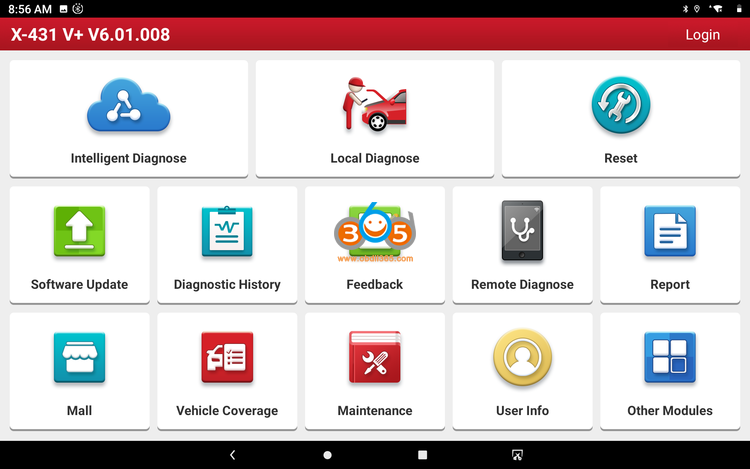
Step 2. Choose “New registration”.
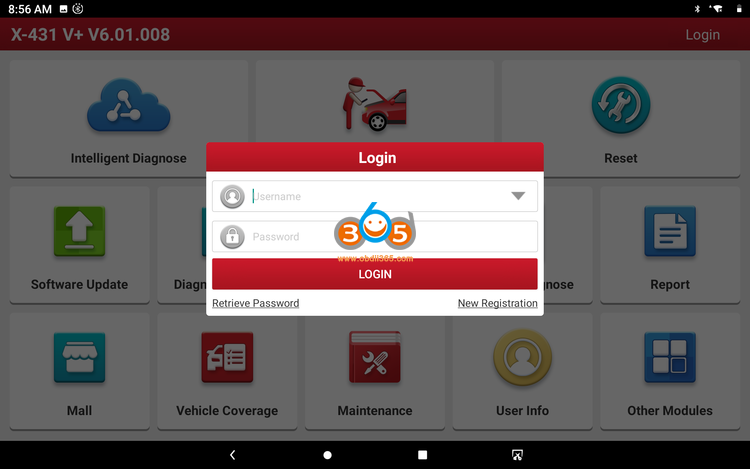
Step 3. Input the user name & password, input the password again. Input the usual email address. Choose the country. Input the CAPTCHA verification code. Tap “Register”.
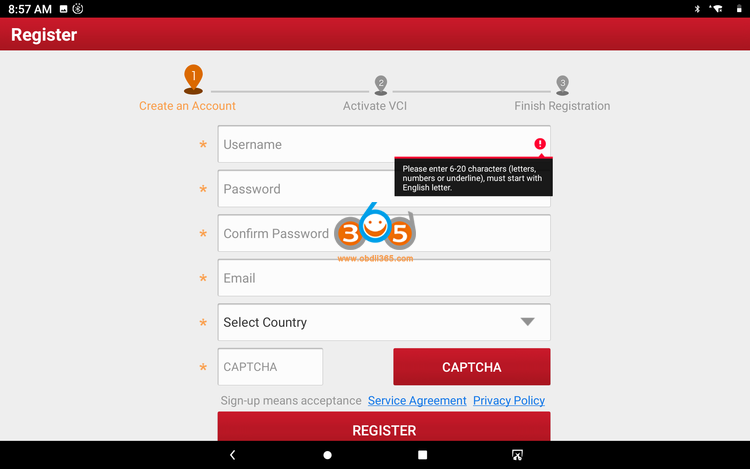
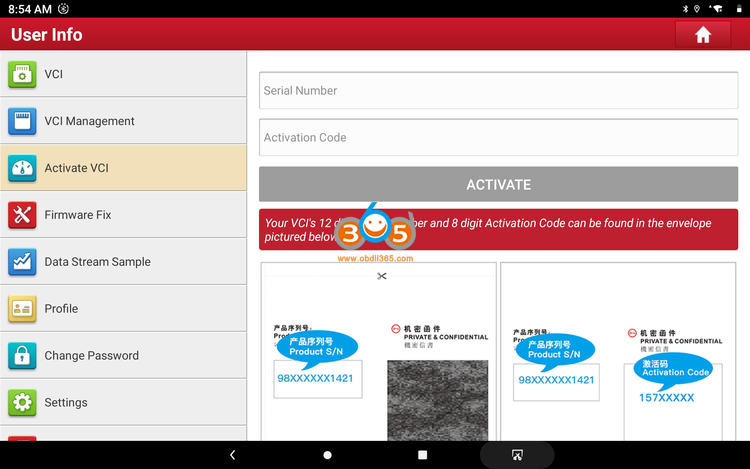
Step 4. Open the envelope in the product, input the SN number inside, and activate the password–click ACTIVATE
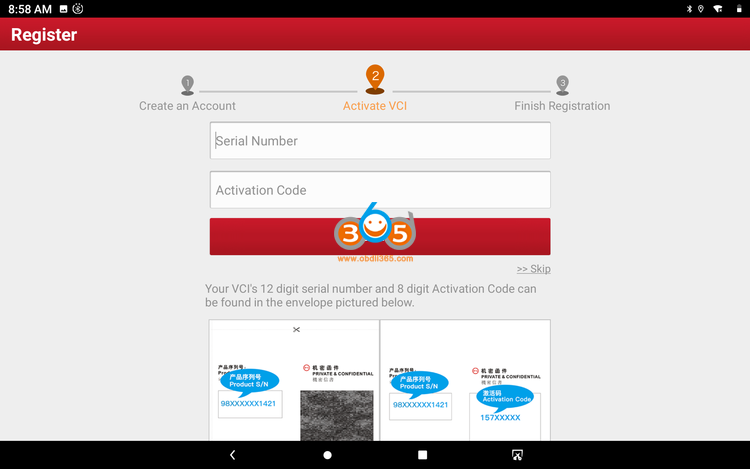
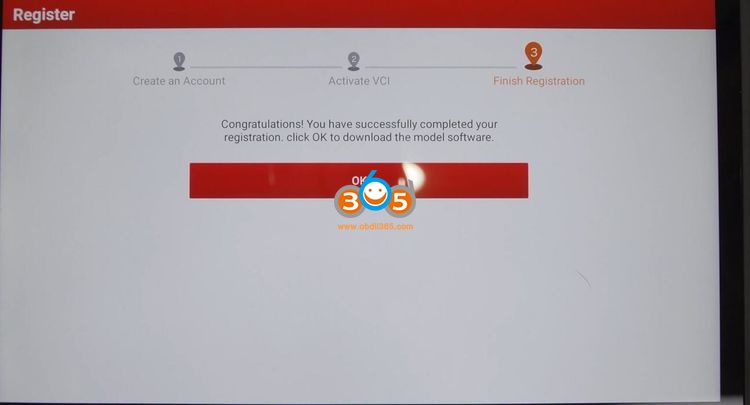
Step 5. Congratulations! you’ve registered successfully, you are ready to use the machine.
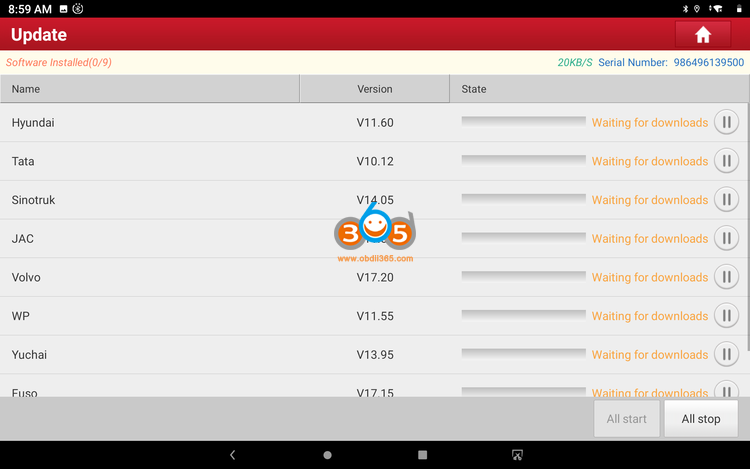
Step 6. Software update.
Select all available newest truck software to update, just wait until it succeed.
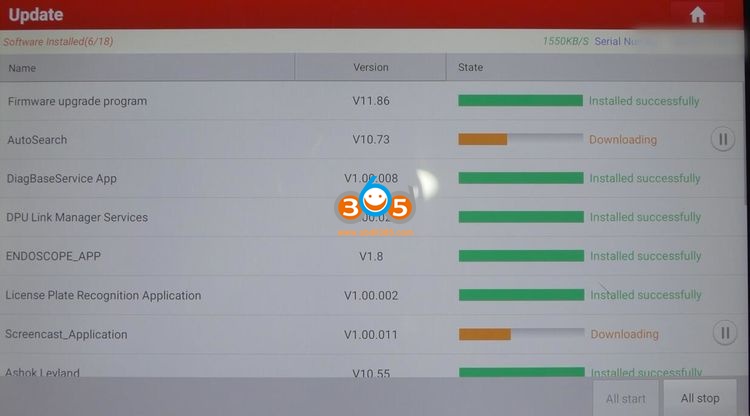
Besides, after entering “User Info”, there are ” Activate VCI” and “Firmware Fix”, just click on them and follow the screen to do.
How to Change Launch X-431 V+ Language?
In Home menu, select Setting->System->Language & Input-> Languages
Select language or add language you desired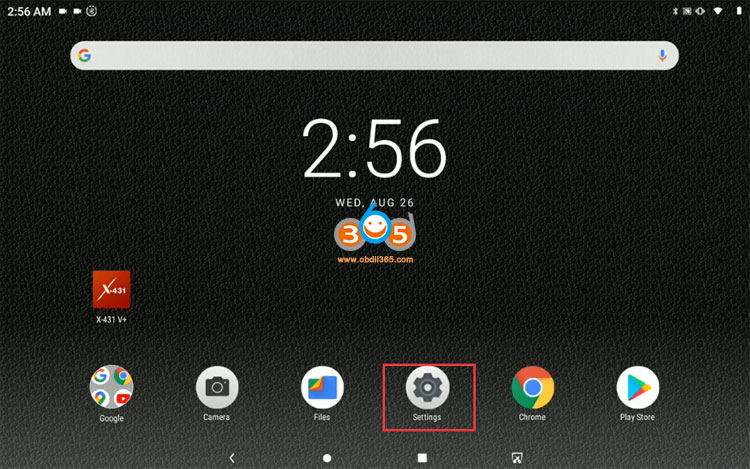
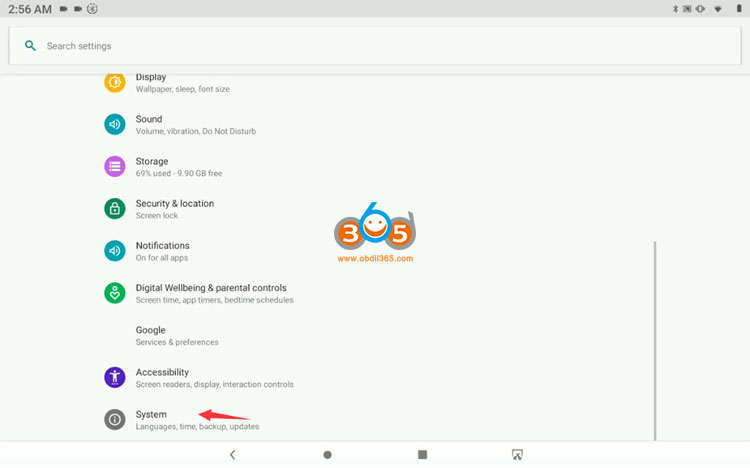
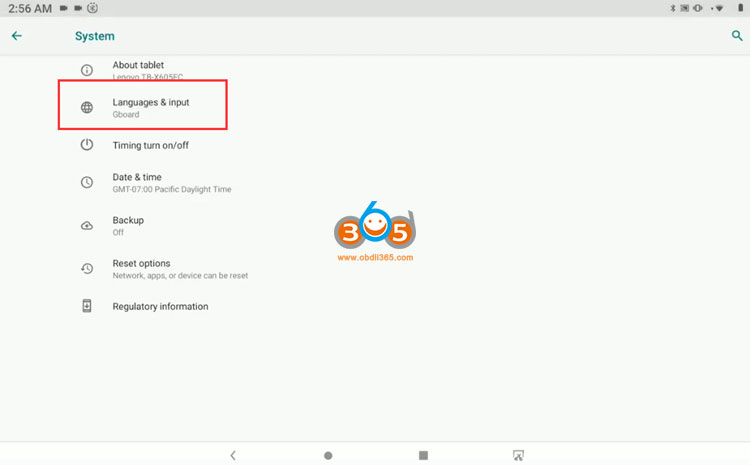
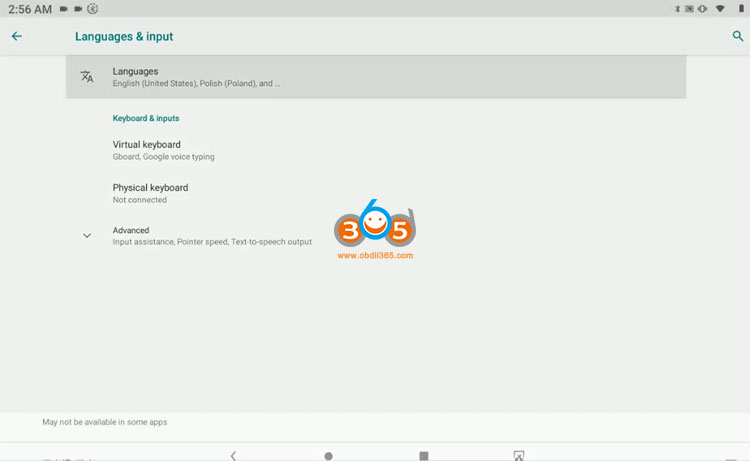
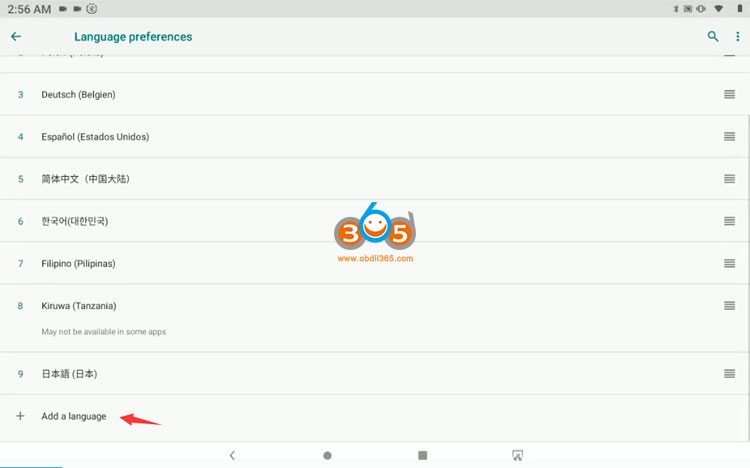
After add a language, go to 431APP to update software.
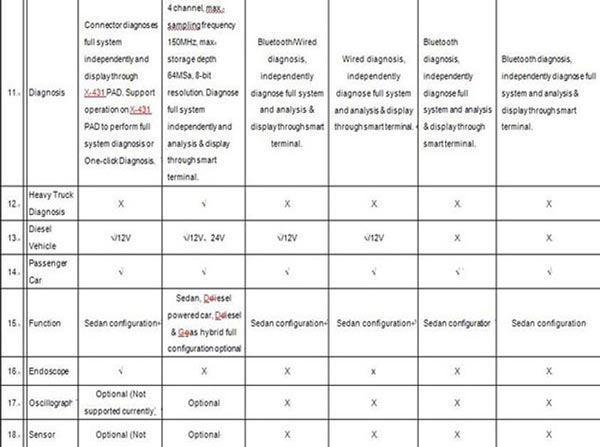
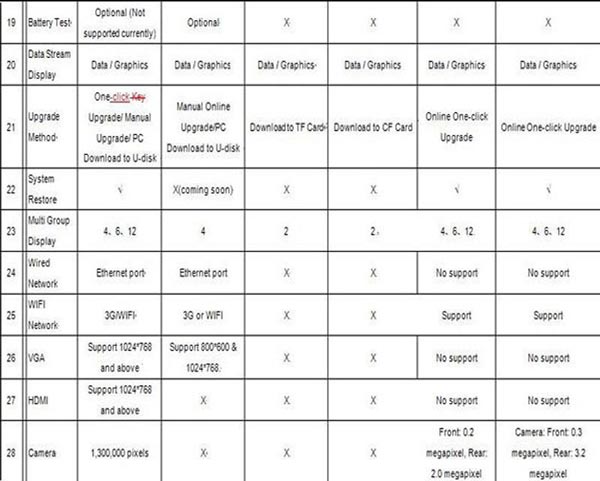
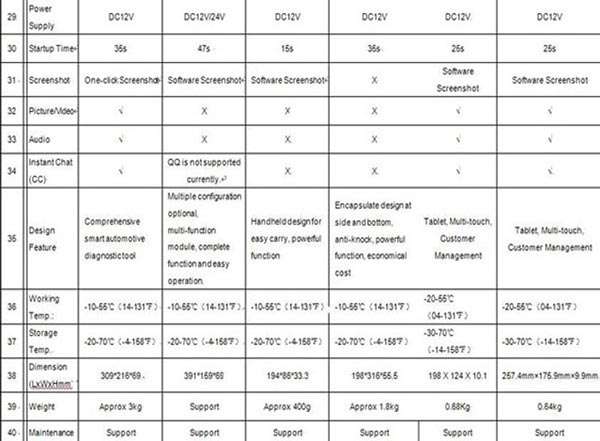
Comparison between Launch Tools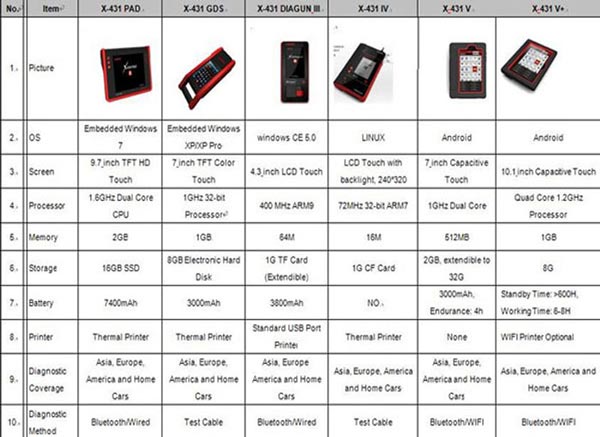

 EN
EN