Get a Free Quote

Our technicians will contact you soon.
Name
Email
Phone/WhatsApp
Message
0/1000

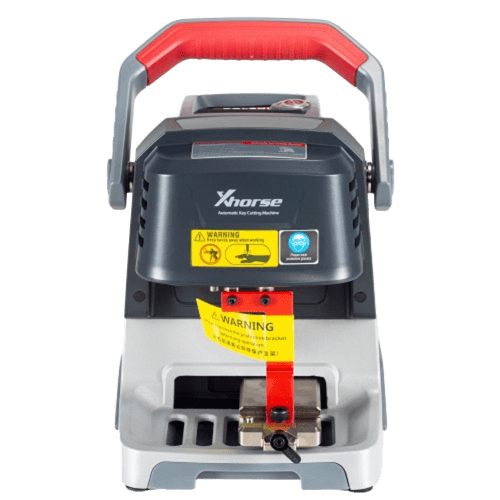
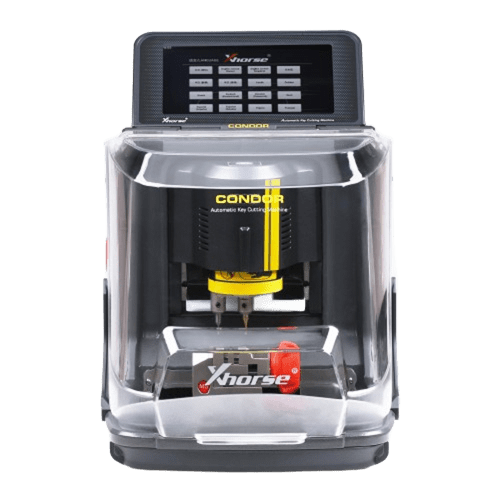
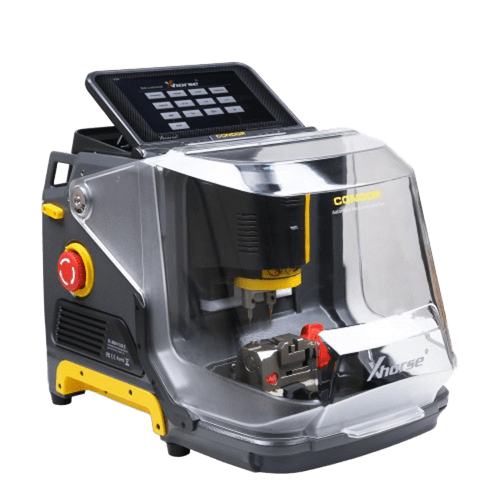
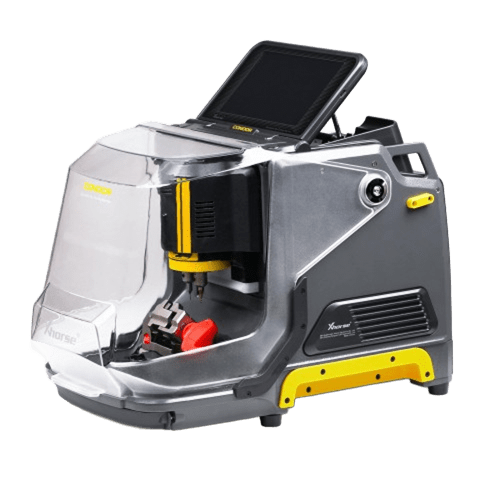
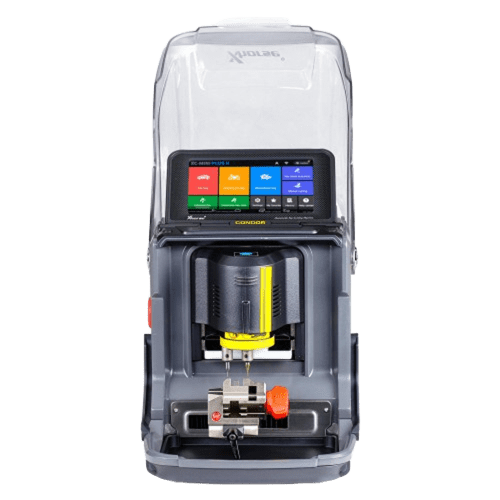
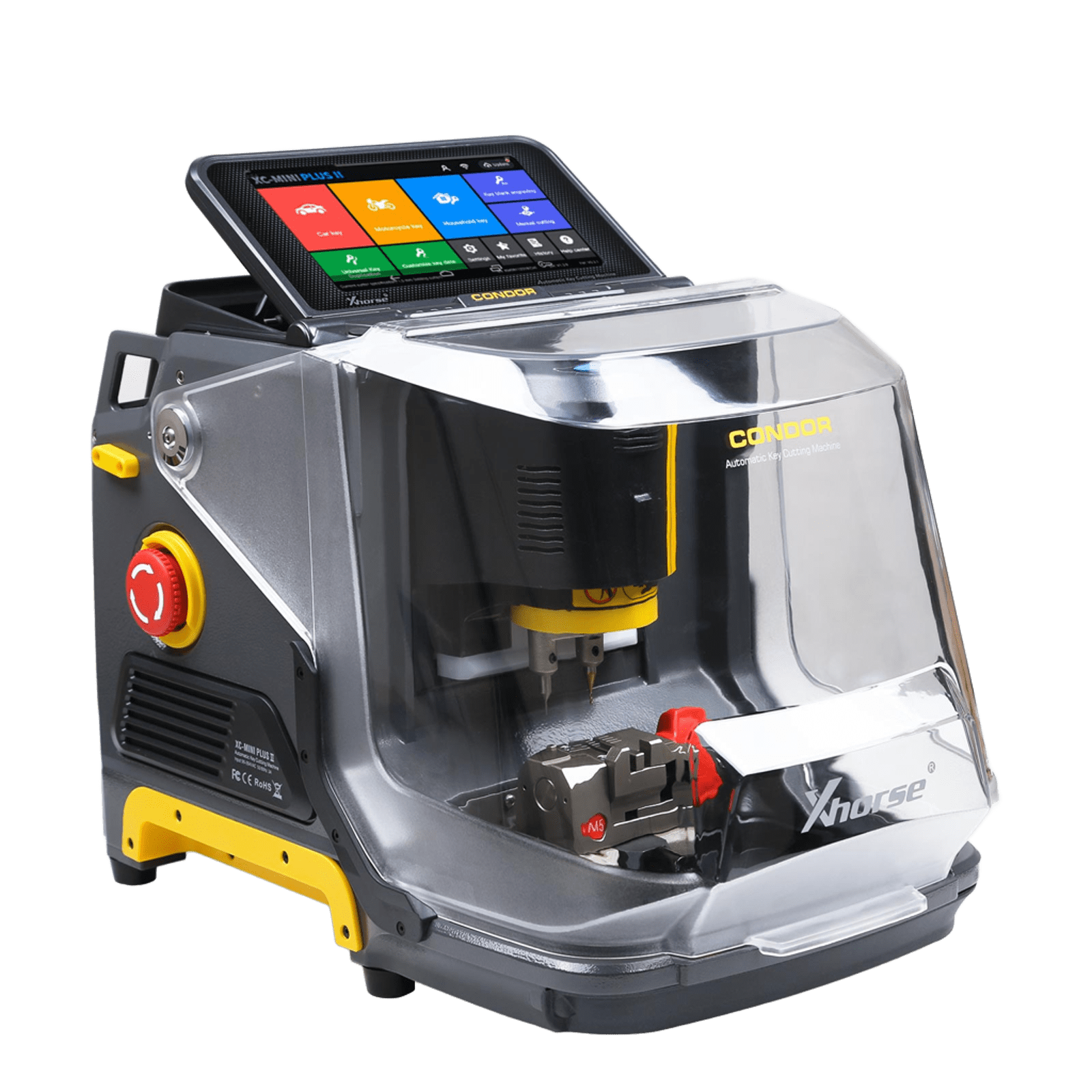
Xhorse Condor XC-MINI Plus II Car Key Cutting Machine

weight-icon weight: 24kg
weight-icon package: 51.5cm*48cm*38cm

Feature:

1: Support car, motorcycle, and household keys.
2: Update online directly on Mini Plus II.
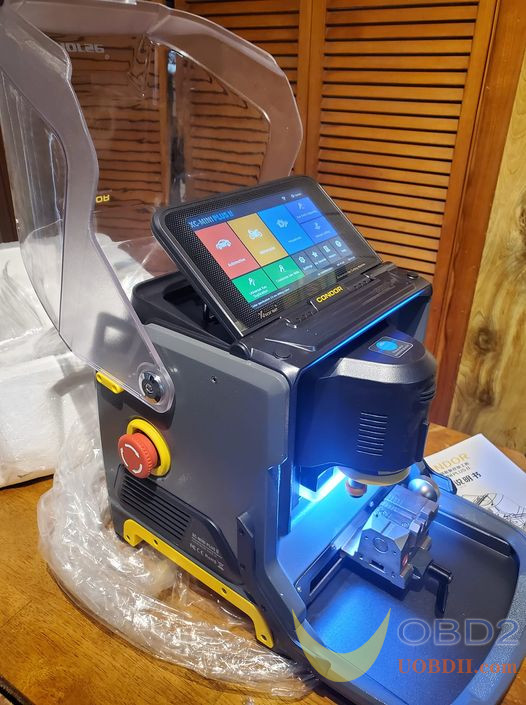
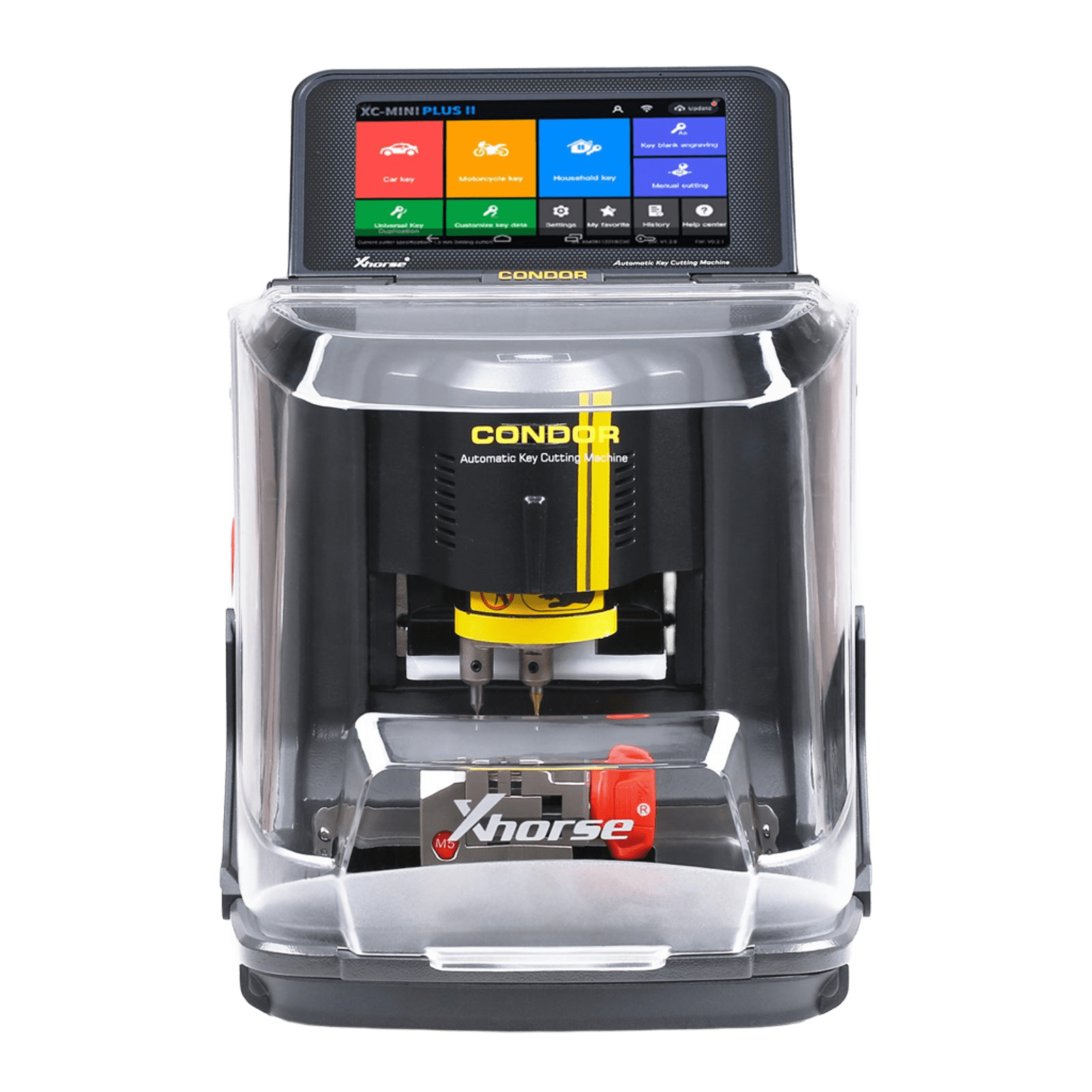
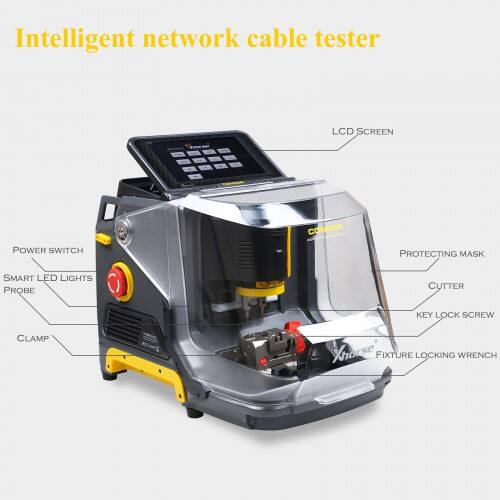
3: Intelligent indicator light, 7'' HD touch screen.
4: Key blank engraving.

Product Description:

Xhorse Condor XC-Mini Plus II Key Cutting Machine, 2nd Generation of Condor MINI Plus.

Next-level working experience with AI Tech.

  • Description
  • FAQ
  • Videos
  • Tech Support
  • Reviews
Ship From: EU/UK/US/CN
Notice:
$2799 for US/EU/UK Address Only.
For other addresses, please choose the global version and contact us (WhatsApp: +86-13995696053) to pay the difference.

What are the New Features of Condor Mini Plus II?
1. Supports cutting car, motorcycle, and household keys.
2. Supports direct online updates on the Mini Plus II.
3. Equipped with an intelligent indicator light and a 7-inch HD touchscreen for easy operation.
4. Supports key blank engraving.

Xhorse Condor XC-Mini Plus II  Description:
The Xhorse Condor XC-MINI Plus II Car Key Cutting Machine introduces a range of powerful new features designed to better meet the needs of professional locksmiths. Equipped with intelligent indicator lights, an advanced 8-core processor, key blank engraving capability, and support for household keys, it delivers a smoother and more efficient user experience.

The Condor XC-Mini Plus II can quickly and accurately identify a wide variety of keys—including car keys, motorcycle keys, plastic keys, and aluminum keys—when connected to a key reader. Built with durable components and stable performance, the machine operates reliably even in challenging weather conditions. With this device, users can achieve results that go beyond simple duplication, producing clean, precise keys with professional quality.
 
Designed for high precision and durability, the Condor XC-Mini Plus II ensures exceptional processing accuracy. The finished keys meet strict precision standards verified by advanced optical testing equipment. Even after cutting more than 150,000 keys, the machine continues to deliver consistent and highly accurate cutting results, making it a dependable tool for locksmith professionals.

Xhorse Condor XC-MINI Plus II Key Cutting Machine

 
Smart 2-in-1 M5 Clamp and Multi-purpose Clamps:

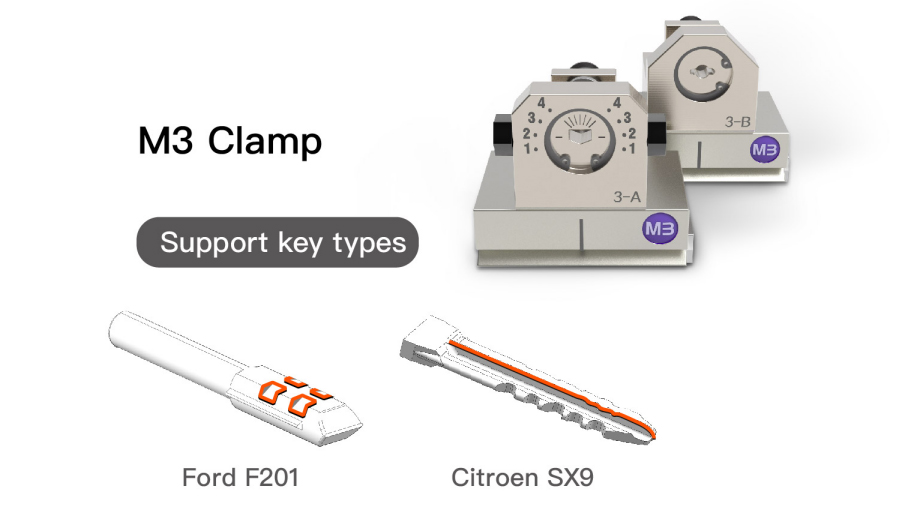
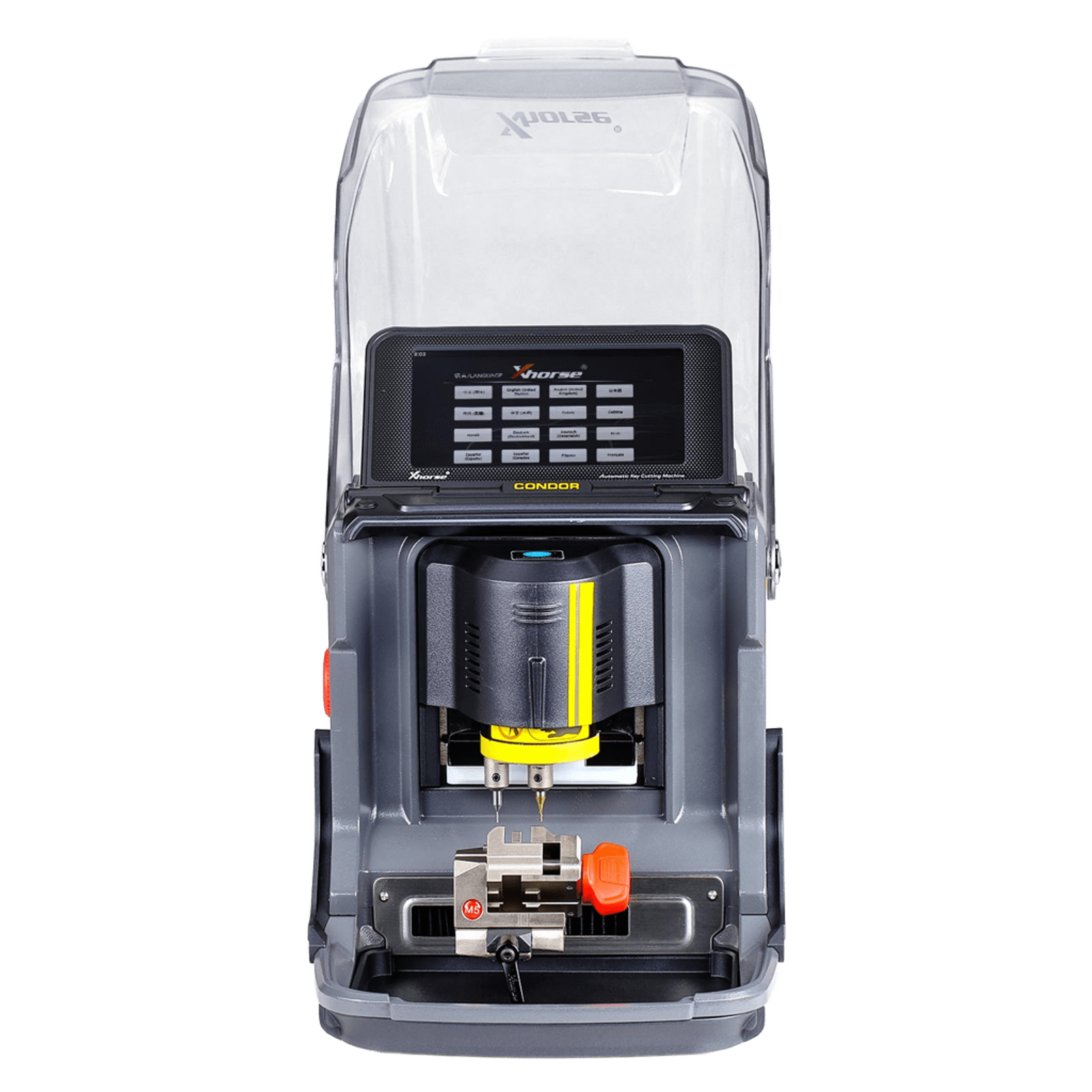
Condor XC-Mini Plus II comes with M5 and M3 multifunctional clamps, allowing it to handle a wide range of key types, including side keys, track keys, Tibbe keys, F021 & Citron SX9 keys, and residential keys.
 
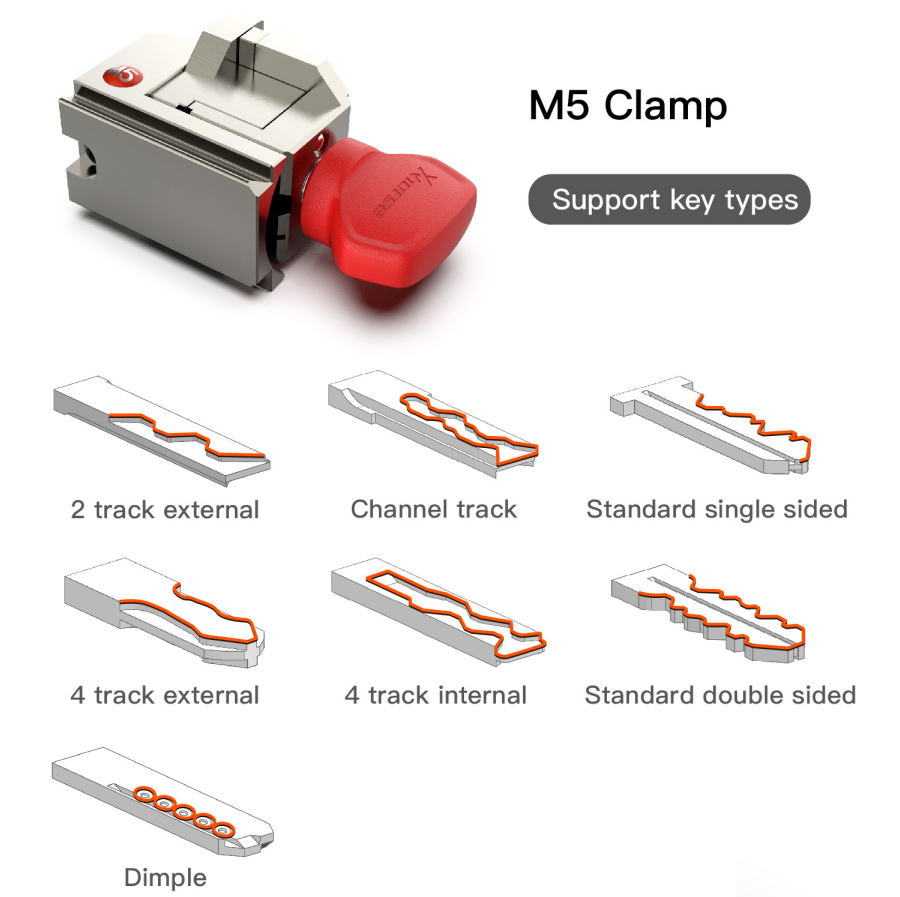
The M5 clamp is a versatile 2-in-1 solution, combining the functions of M1 and M2 clamps. It supports multiple key types such as 2-track external, channel track, standard single-sided, 4-track external, 4-track internal, standard double-sided, and dimple keys. Its design allows users to switch between M1 and M2 modes quickly without repeatedly installing or removing clamps, providing greater convenience and efficiency during key cutting operations.
Only M4 Clamp is optional.
Xhorse Condor XC-MINI Plus II Key Cutting Machine

Condor XC-Mini Plus II Top 12 Revolutionary Features:
●Smart User Interaction in Android
●Intelligent Indicator Light
●8-Core Process
●7 Display Intelligent Touch Screen
●Powerful Database
●All-purpose Clamps Extraordinary Versatility
●All Key Lost Solution
●Key blank Engraving
●Key Data Customization
●Support Bluetooth and WiFi
●Optical Key Bitting Recognition (Work with Key Reader)
●Key 3D Preview

Condor XC-Mini Plus II  Highlights:

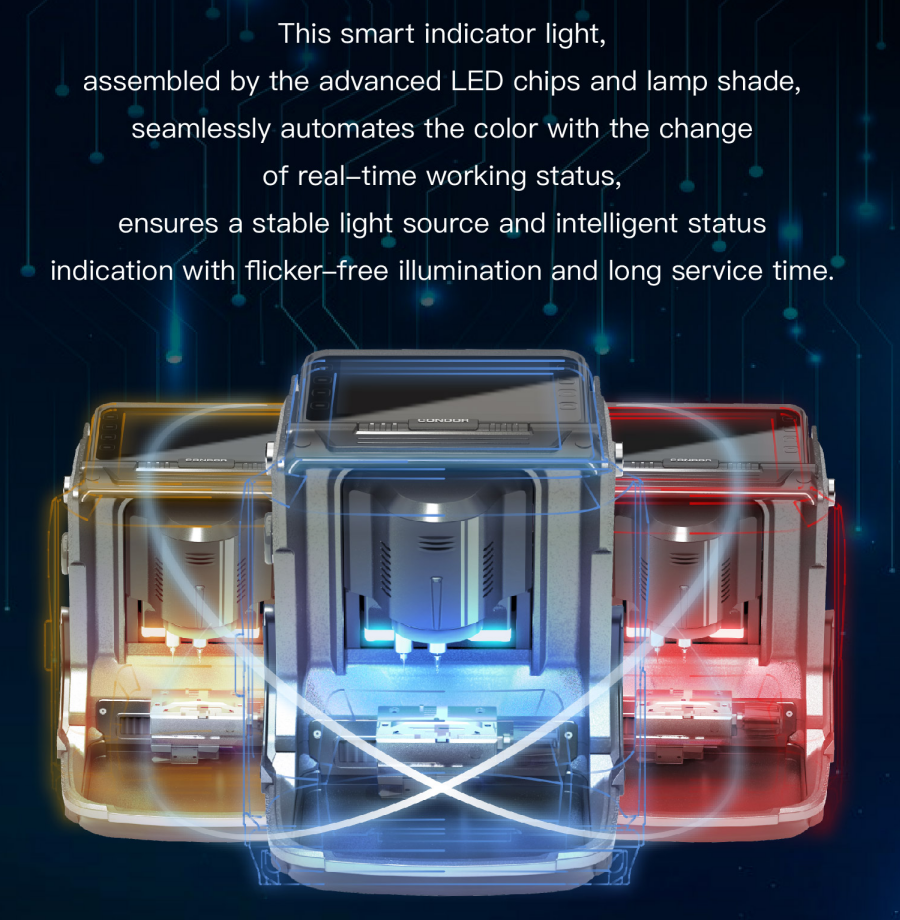
1. Intelligent Color Synchronization
This smart indicator light, assembled with advanced LED chips and lamp shade, seamlessly automates the color with the change of real-time working status, ensuring a stable light source and intelligent status indication with flicker-free illumination and long service time.

Xhorse Condor XC-MINI Plus II Key Cutting Machine

2. Smart User Interaction in Android
Powered by the Android system, it provides stronger compatibility, faster running speed, and smarter user interaction.

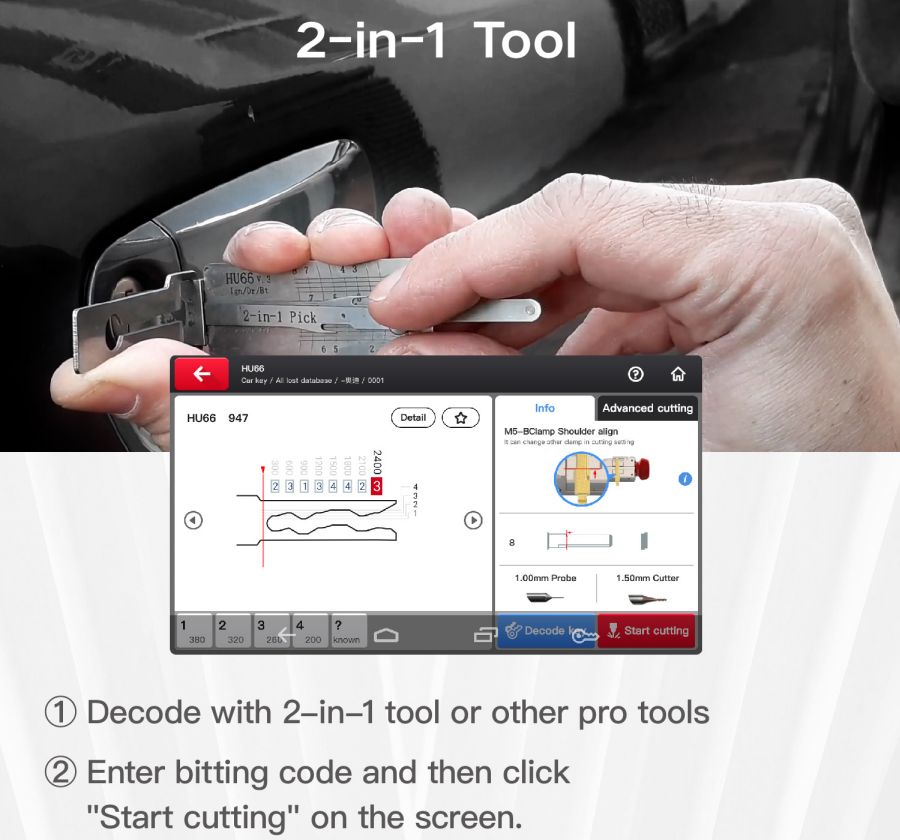
3. Fast and effective solutions are provided to make you an expert in all key lost.

Xhorse Condor XC-MINI Plus II Key Cutting Machine


4. All Key Lost Database
Our built-in powerful database covers over 100 car brands, 2000 car models, 20000 keys, and All Key Lost data with a lifelong upgrade service for free.

Xhorse Condor XC-MINI Plus II Key Cutting Machine

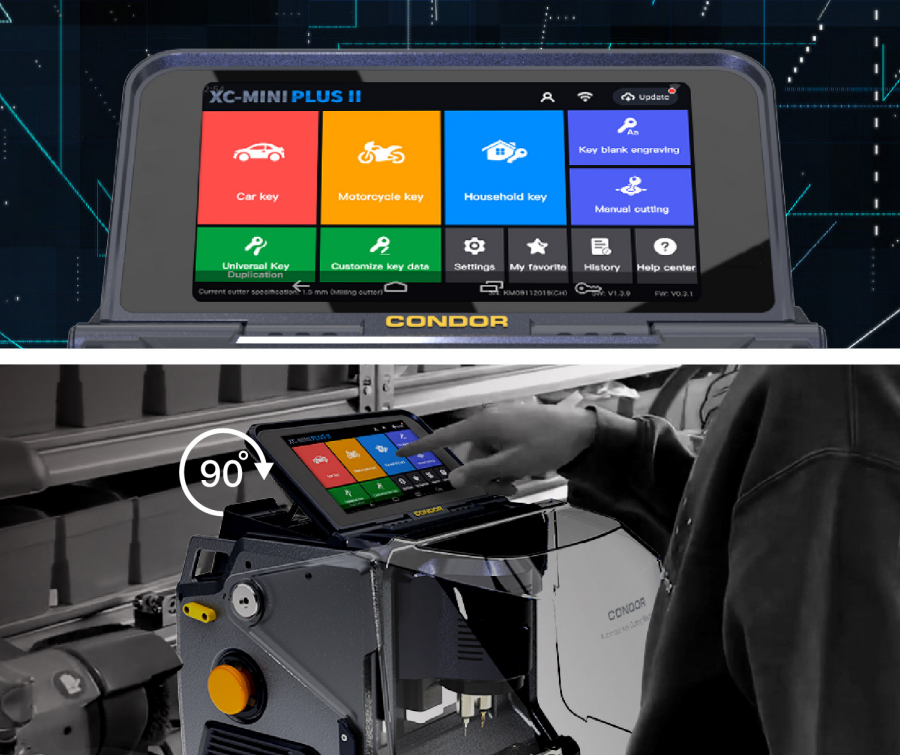
5. 7"Display Intelligent Touch Screen
With a resolution of 1280x720 pixels, laid out on a screen of 7 inches, it offers a much better picture quality on the screen to minimize eye fatigue.
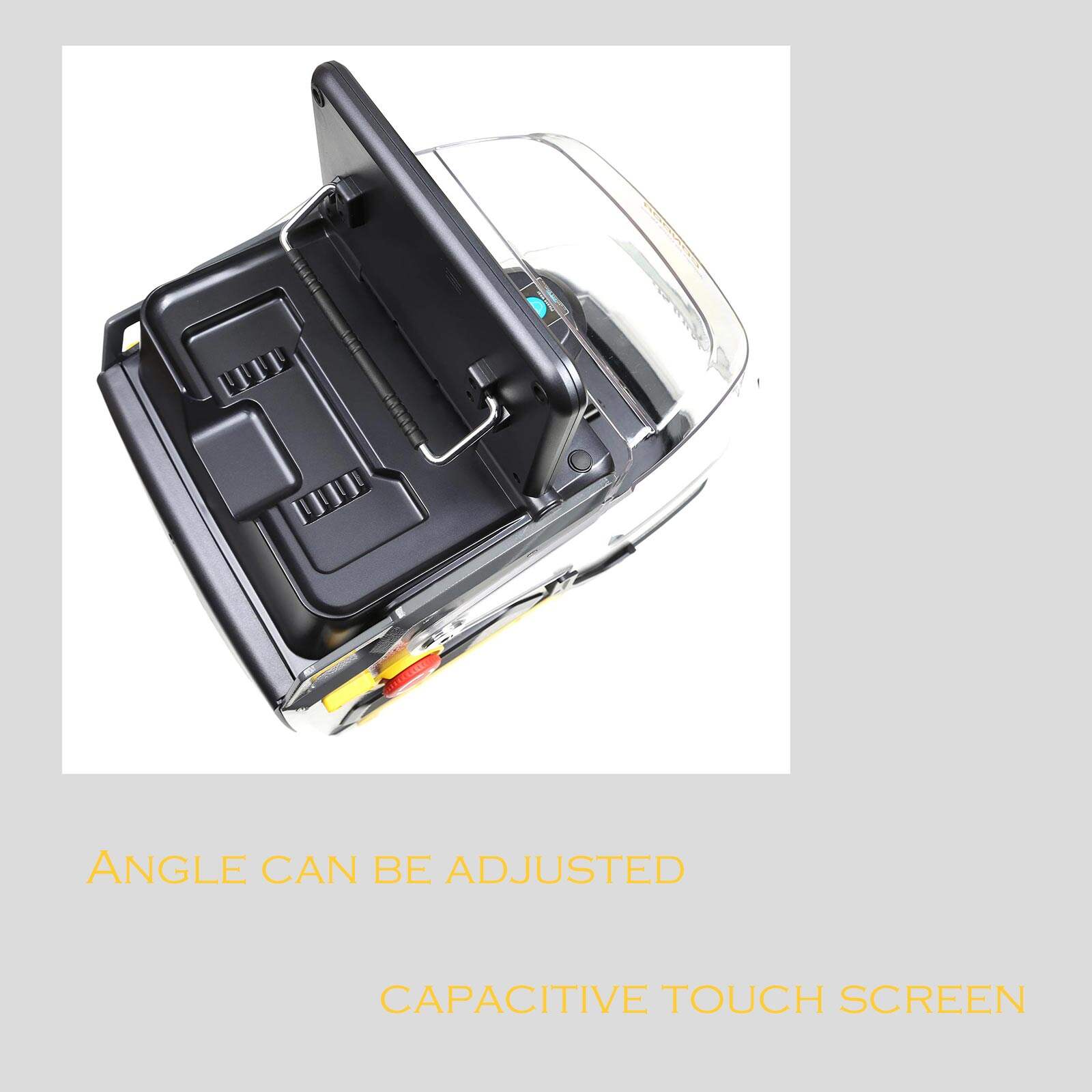
The machine adopts an angle-adjustable capacitive touch screen. You can set the angle of the screen based on actual needs.

Xhorse Condor XC-MINI Plus II Key Cutting Machine

6. Support Multiple Types of Keys
Automobile, Motorbike, Residential, and other generate keys

7. Offline Operation Available
A lifelong online database upgrade service is free. To better serve users in a poor network environment. Offline operation is available after downloading the database.

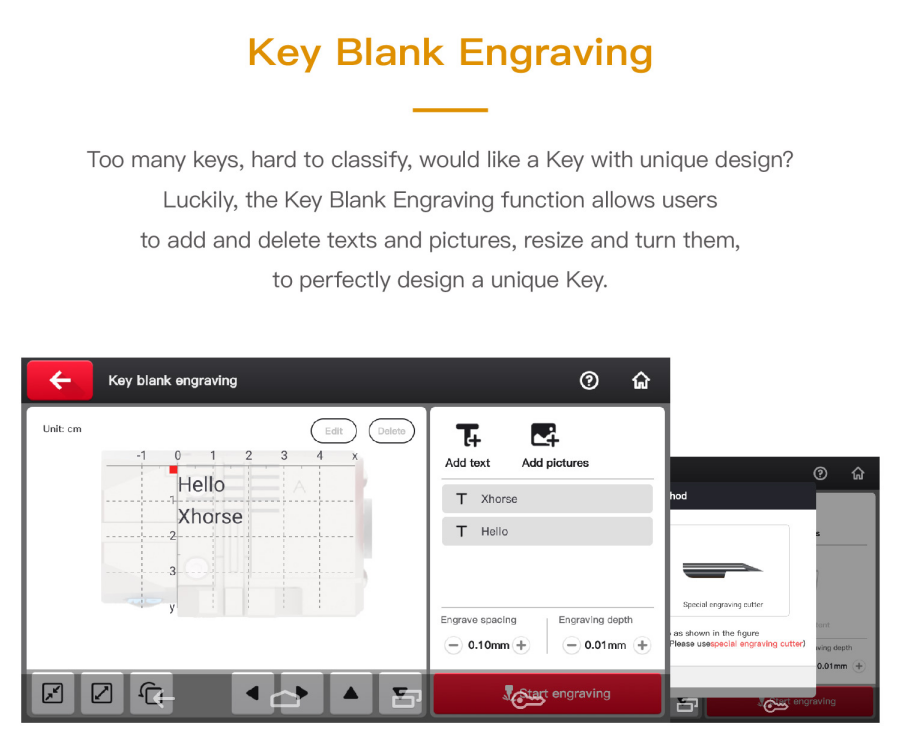
8. Key Blank Engraving
Too many keys, hard to classify, would like a Key with a unique design?
Luckily, the Key Blank Engraving function allows users to add and delete texts and pictures, resize and turn them to perfectly design a unique Key.

Xhorse Condor XC-MINI Plus II Key Cutting Machine

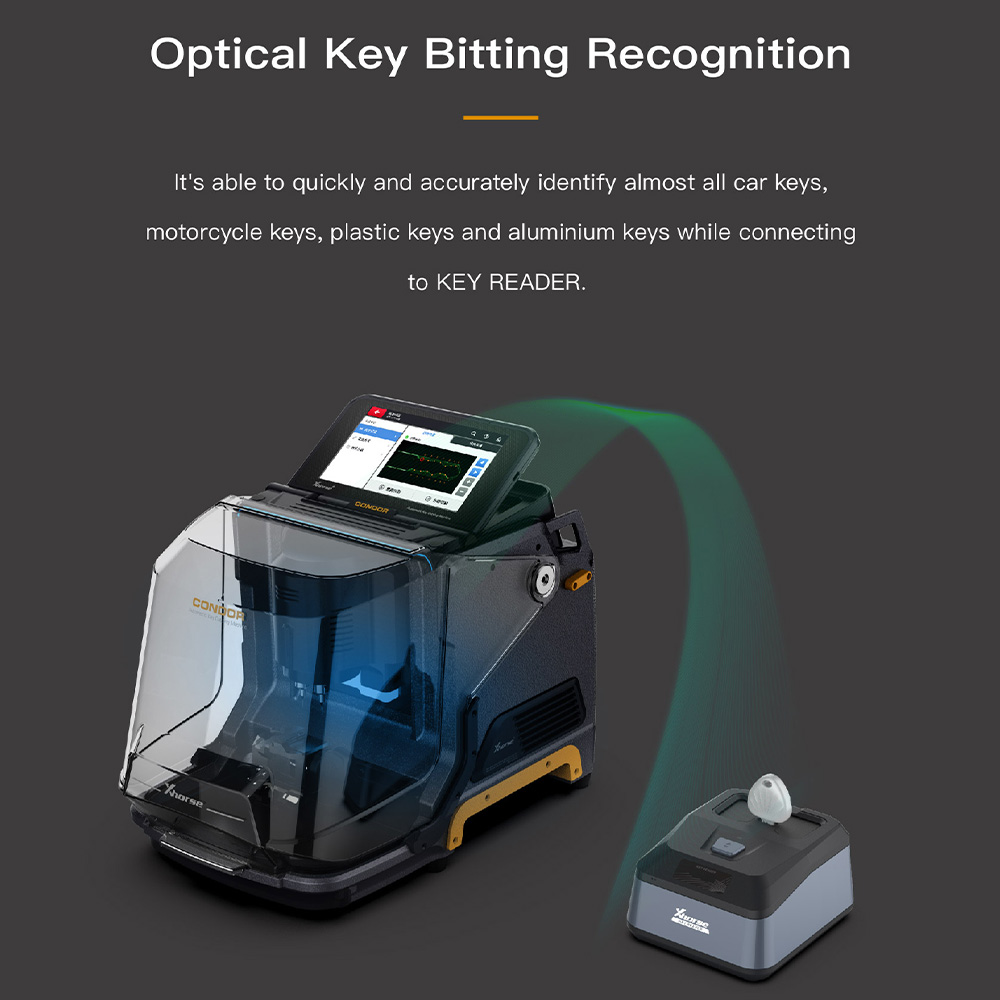
9. Optical Key Bitting Recognition
It's able to quickly and accurately identify almost all car keys, motorcycle keys, plastic keys and aluminium keys while connecting to Xhorse Key Reader.

Xhorse Condor XC-MINI Plus II Key Cutting Machine

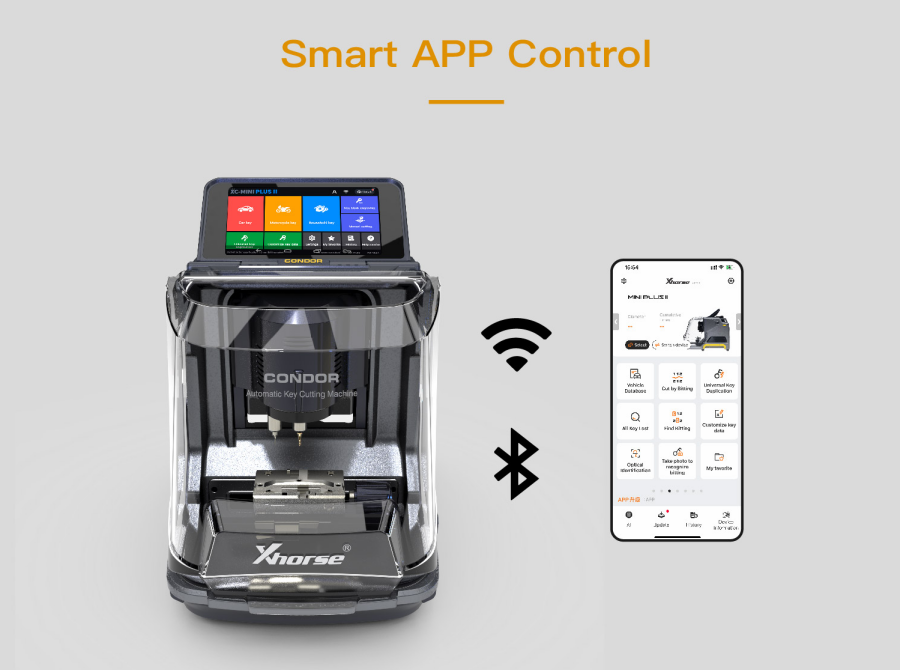
10. Smart APP Control
Meet users' various demands on the Xhorse APP
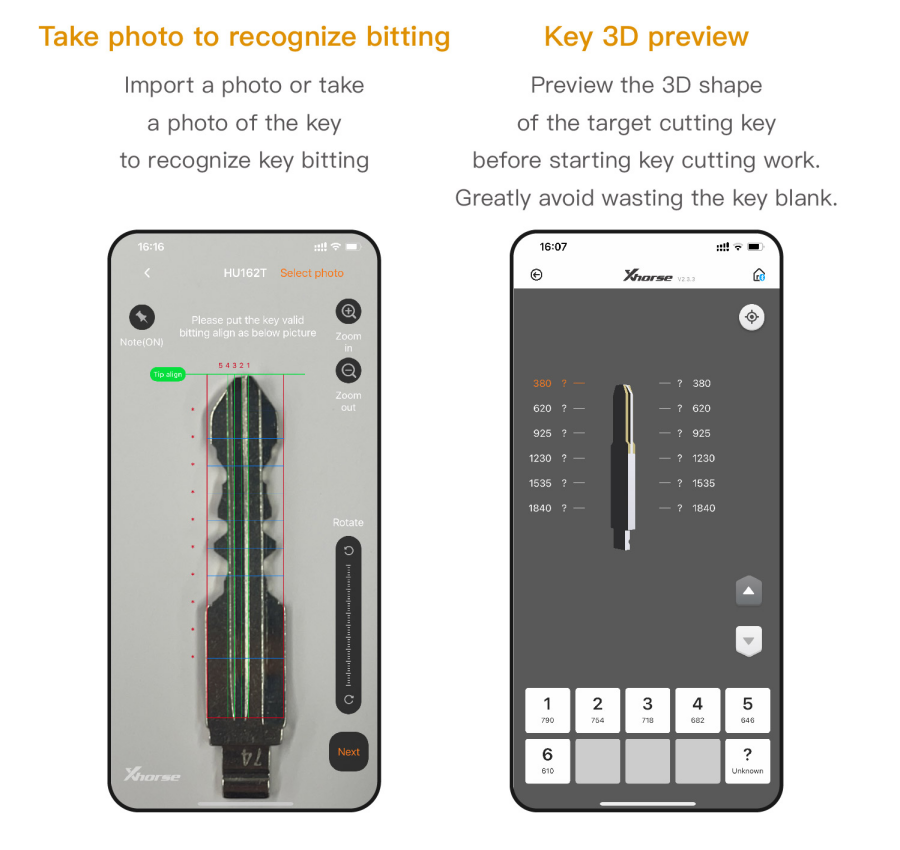
Connect the machine to the Xhorse APP for more functions, take photos to recognize bitting, key 3D preview, cut by bitting, find bitting, customize key data, etc.

Xhorse Condor XC-MINI Plus II Key Cutting Machine

11. Key 3D Preview
Preview the 3D shape of the target cutting key before starting key cutting work. Greatly avoid wasting the key blank.

Xhorse Condor XC-MINI Plus II Key Cutting Machine

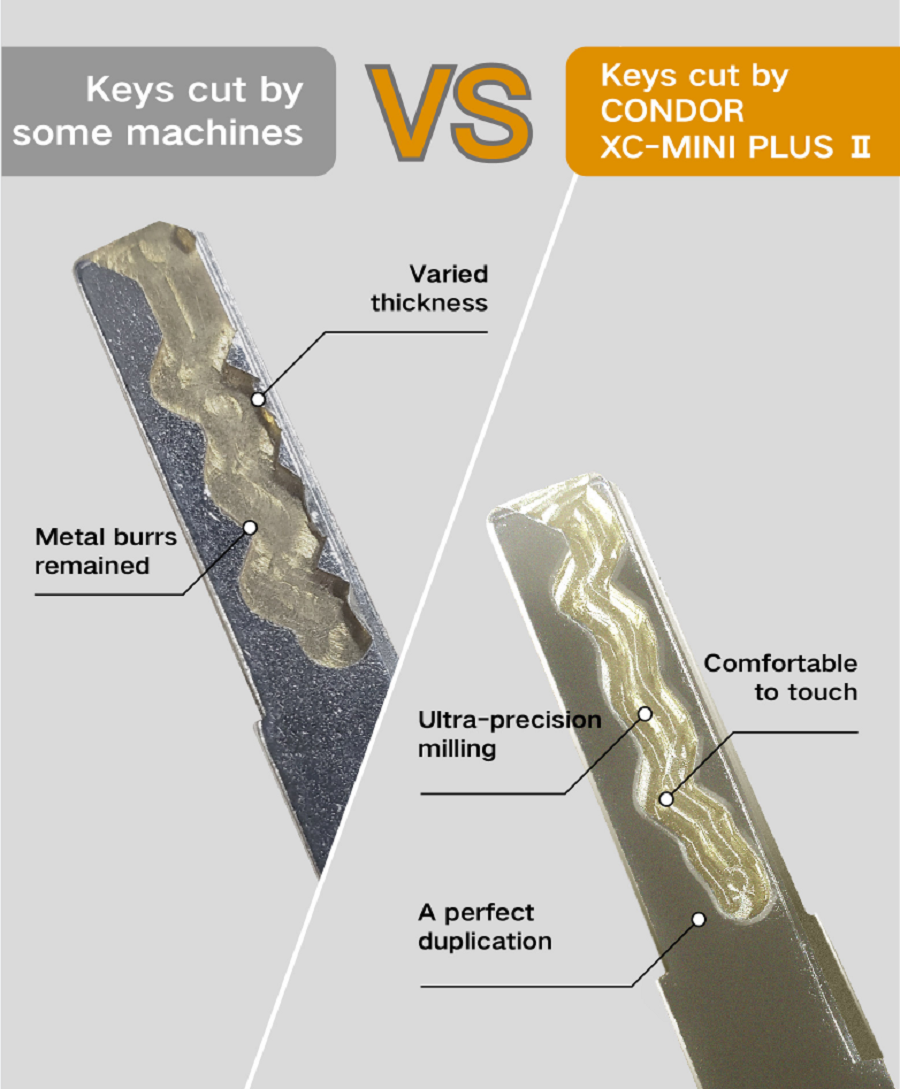
12.  Super high precision processing results
The finished keys passed the precision test of the advanced Optical Instrument.

Xhorse Condor XC-MINI Plus II Key Cutting Machine

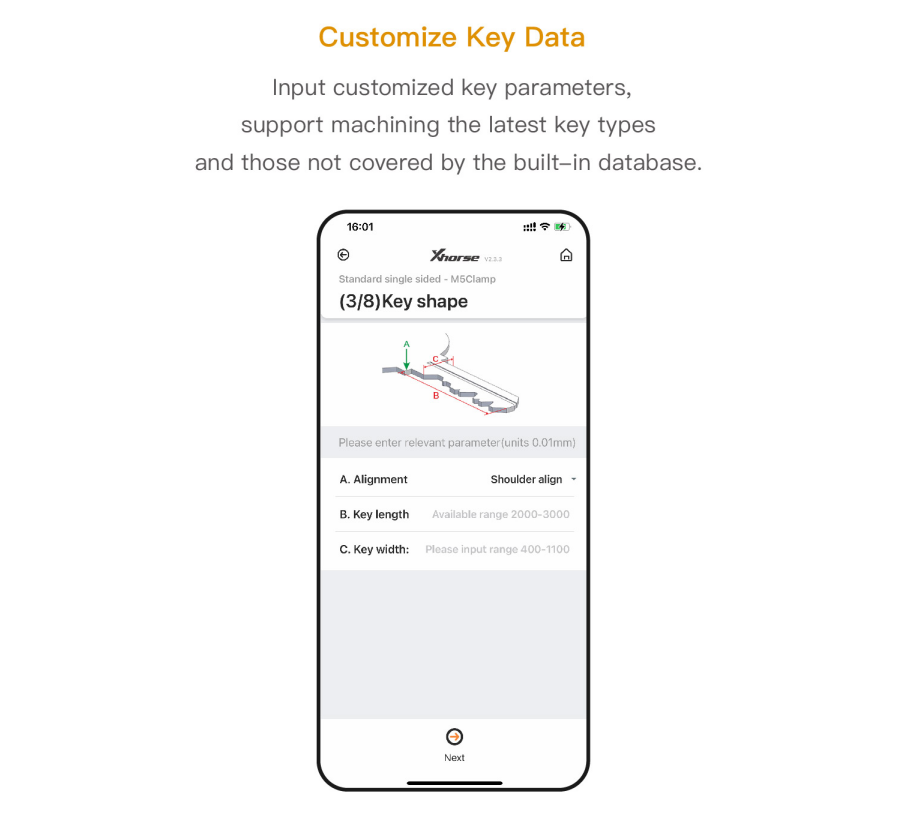
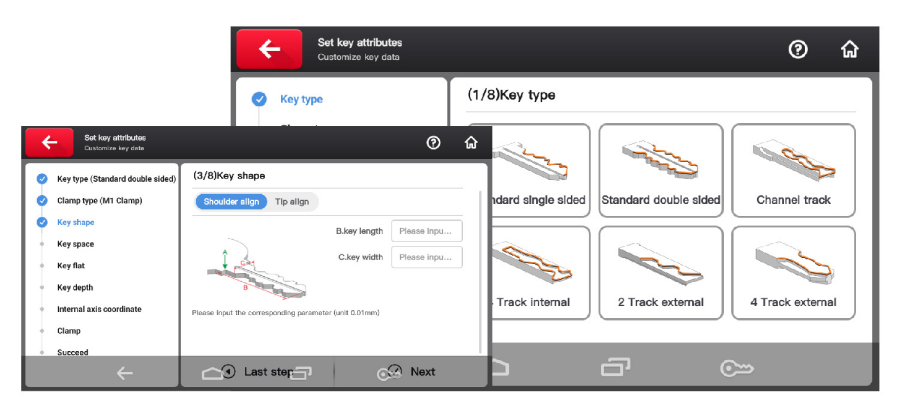
13. Customize Key Data
Input customized key parameters, support machining the latest key types and those not covered by the built-in database.
Customize the key data function, independently developed by Xhorse. Manually choose the key type, input key data, then synchronize date with  key cutting machine to complete the key cutting process.

Xhorse Condor XC-MINI Plus II Key Cutting Machine
14. Manufacture Craftsmanship
The car key cutting machine features an all-aluminum body, crafted using a German-made DMG CNC machine to ensure high-precision cutting. Every finished key meets strict standards, verified with advanced optical instruments. The transparent protective shield allows users to monitor the cutting process in real time while keeping metal debris safely contained.
 
15. Lifelong free online technical support
Xhorse offers a three-year warranty for Condor XC- Mini Plus II. Technical videos and articles can be easily found on the Xhorse APP, which will greatly help you with your work. Click "Customer Service" on Xhorse APP to contact the Xhorse technical support team.

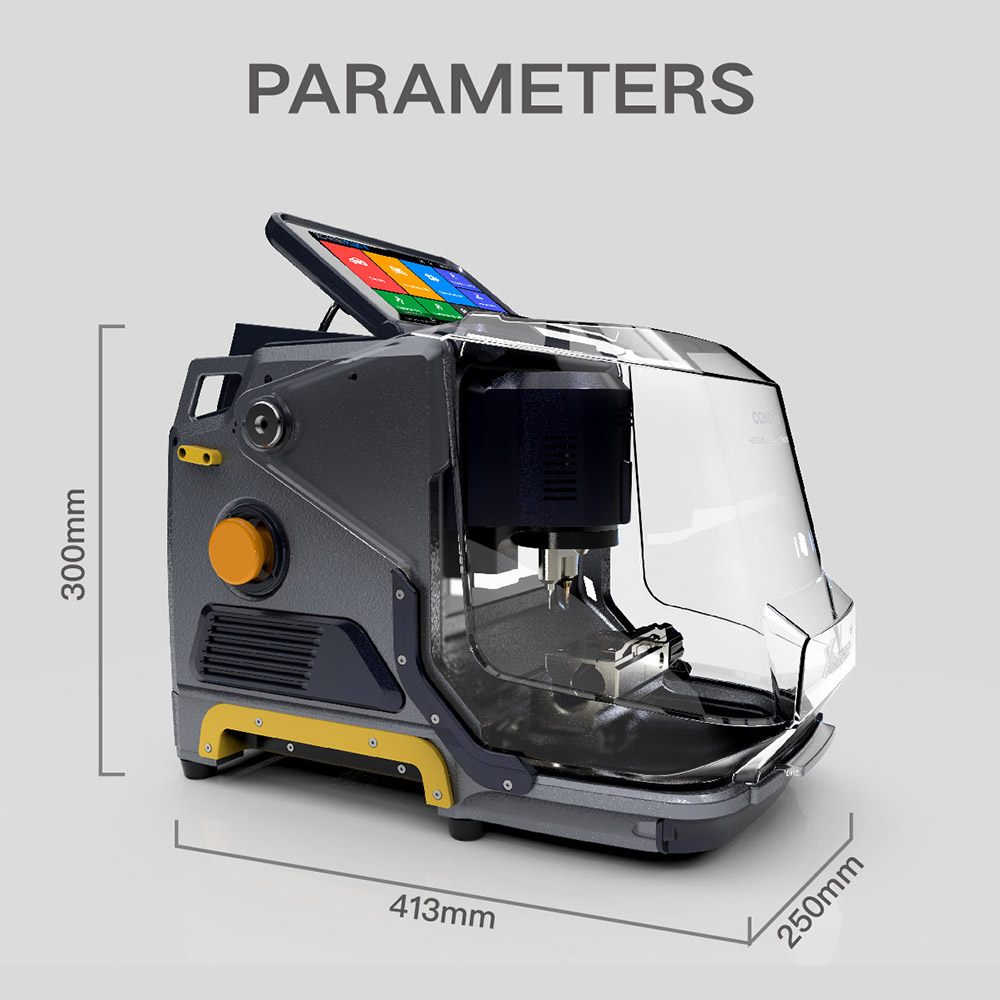
Condor MINI Plus II Parameters:

Xhorse Condor XC-MINI Plus II Key Cutting Machine


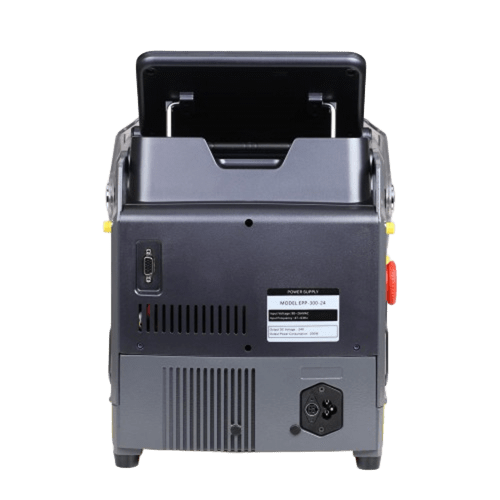
Power 200W
LED Screen Resolution 1280 x 720pixels
Motor Rotation Speed 10000rpm
Package Dimensions 515 x 480 x 380mm
Product Dimensions 413 x 250 x 300mm
Input Frequency 47~63HZ
Input Voltage 90~264V
Net Weight 19KG
Gross Weight 24KG
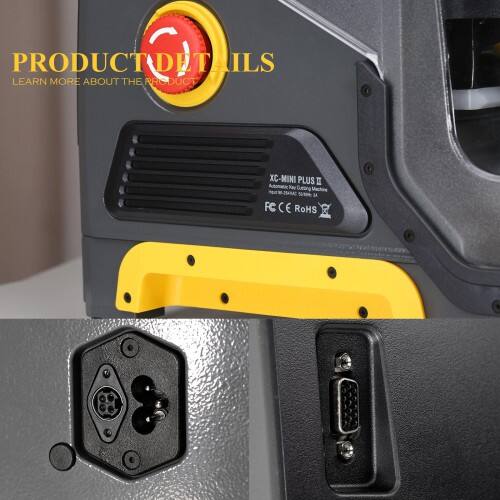
USB Port DB15


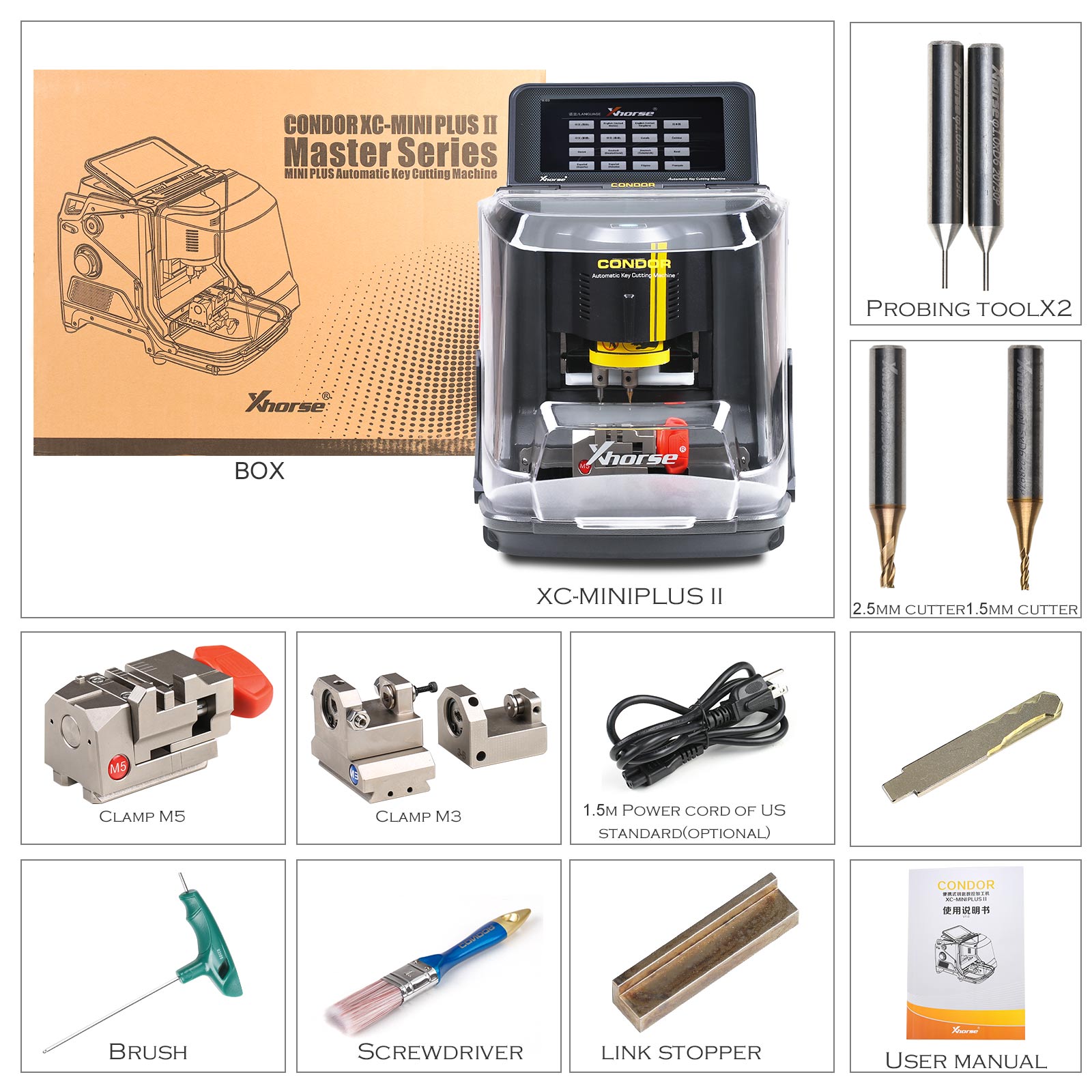
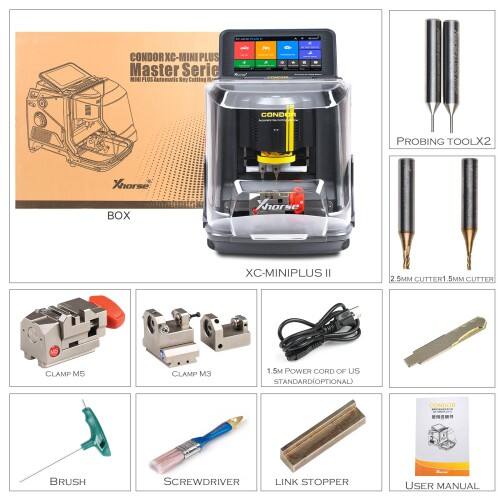
Xhorse Condor XC-MINI PLUS II Package List:
1pc x MINI PLUS II
2pcs x Probing Tool
1pc x 1.5mm Cutter
1pc x 2.5mm Cutter
1pc x Clamp M5
1pc x Clamp M3
1pc x Brush
1pc x Screwdriver
1pc x Key Blank
1pc x Link Stopper
1pc x User Manual
Xhorse Condor XC-MINI PLUS II Package List

Xhorse Condor XC-MINI Plus II Tutorials: How to install Cutter and Clamp, Activation, Calibration and Update.

Part 1. Installation

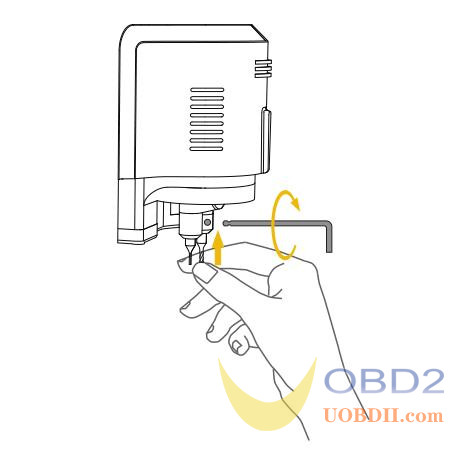
  1. Install Cutter

1)Put the cutter into the mounting hole and make sure the cutter goes to the limit of the top.

2)Use the cutter tightening wrench to clockwise fix the cutter

xhorse condor xc mini plus ii car key cutting machine-0

  1. Install Clamp

1)Loosen the clamp-tightening wrench by turning it counter-clockwise.

2)Select the correct clamp and slide in the clamp to the clamp holder and push it to the limit of left.

3)After the clamp is put in the clamp platform, turn the clamp tightening wrench clockwise.

xhorse condor xc mini plus ii car key cutting machine-1

Part 2. Activation

1)Select the machine language

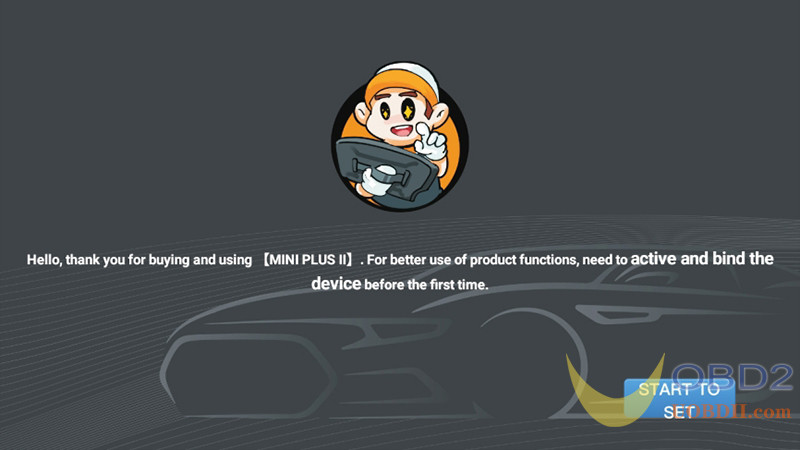
2)After the machine is connected to the power cord, turn it on, enter the main interface, and click the “START TO SET” button

xhorse condor xc mini plus ii car key cutting machine-2

3)Click to select a Wi-Fi network

xhorse condor xc mini plus ii car key cutting machine-3

4)After entering the password, click the “Connect” button, and click “NEXT” below after success. (Login the XHORSE account)

xhorse condor xc mini plus ii car key cutting machine-4

5)Users can choose account login or quick login (new users need to choose quick login and register)

xhorse condor xc mini plus ii car key cutting machine-5 xhorse condor xc mini plus ii car key cutting machine-6

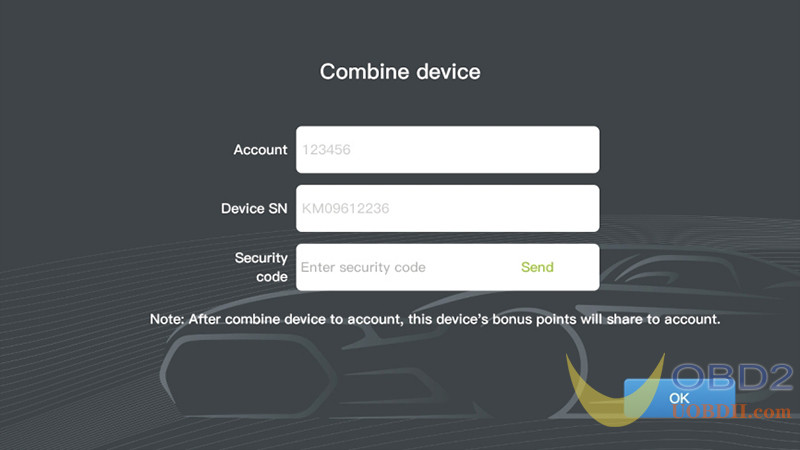
6)After logging in successfully, click “Send” to bind the device.

xhorse condor xc mini plus ii car key cutting machine-7

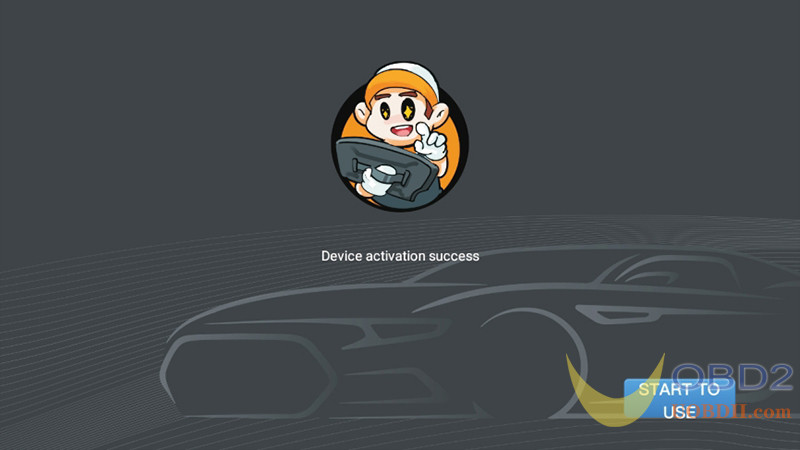
7)The device is successfully activated, click “START TO USE”.

xhorse condor xc mini plus ii car key cutting machine-8

Part 3. Calibration

This CONDOR II Machine adopts Android system, no need for “Height Calibration” and “Clamp Calibration”, just move the probe and the cutter to the top.

1)Enter the operation main interface and click on “Settings”.

xhorse condor xc mini plus ii car key cutting machine-9

2)Click on “Cutting Calibration”.

xhorse condor xc mini plus ii car key cutting machine-10

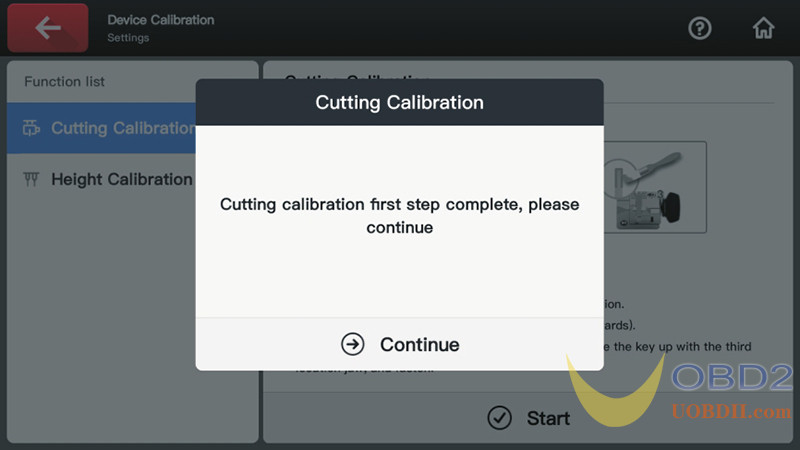
3)Operate by following the tips and click on “Continue”.

xhorse condor xc mini plus ii car key cutting machine-11

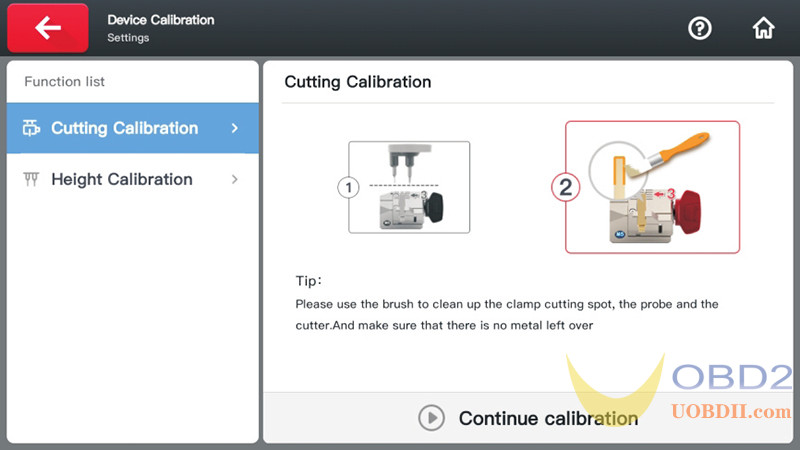
4)Clean the cutter and probe and working area with a brush. Click on “Continue calibration” and now the calibration is finished.

xhorse condor xc mini plus ii car key cutting machine-12

Part 4. Update

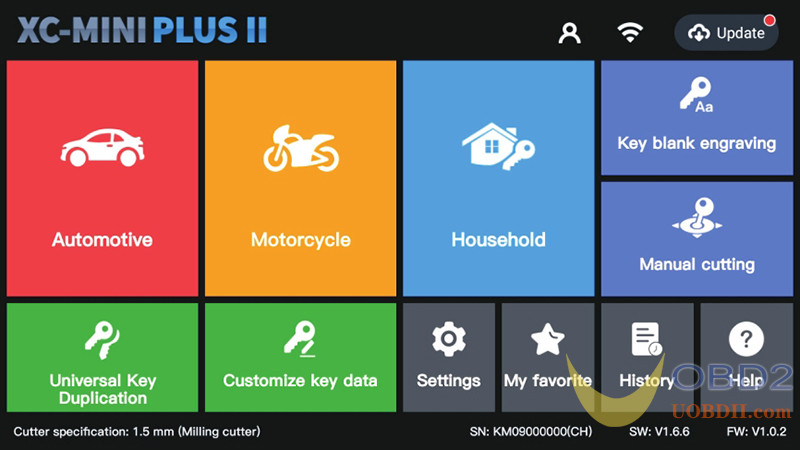
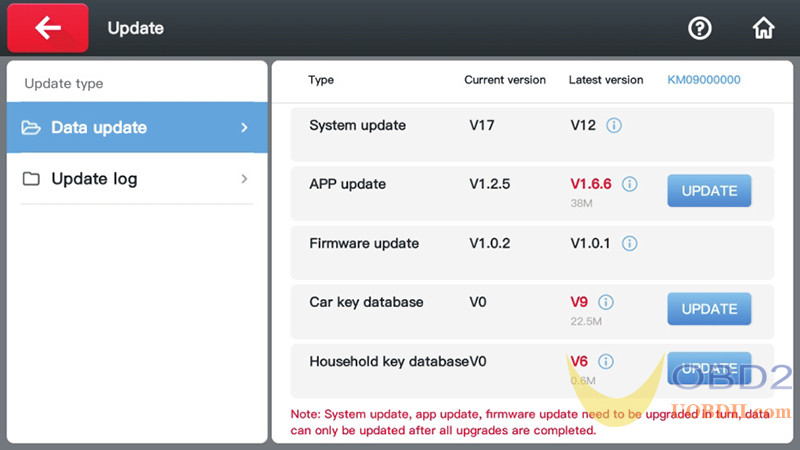
Connect the machine to the Internet, click “Update” in the upper right corner of the main page.

xhorse condor xc mini plus ii car key cutting machine-13

Click the “UPDATE” button on the right to upgrade.

xhorse condor xc mini plus ii car key cutting machine-14

xhorse condor xc mini plus ii car key cutting machine-15

xhorse condor xc mini plus ii car key cutting machine-16

xhorse condor xc mini plus ii car key cutting machine-17

xhorse condor xc mini plus ii car key cutting machine-18

Get a Free Quote

Our technicians will contact you soon.
Name
Email
Phone/WhatsApp
Message
0/1000